

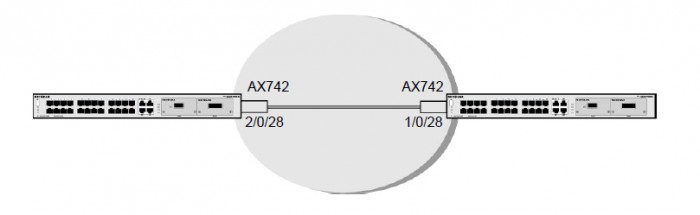
Follow these steps to set up the topology:
- Insert the AX742 into the I/O module on the switch.
- Configure the switch A and B as described in the following instructions.
- Connect the AX 742 with stack cable.
- Reboot Switch A and Switch B.
For more information, see the following support articles:
- How do I configure a stacking port as an ethernet port using the web interface on my managed switch?
This article applies to the following managed switches and their respective firmware:
- M5300 - firmware version 10.0.0.x
-
- M5300-28G (GSM7228S)
- M5300-5G (GSM7252S)
- M5300-28G3 (GSM7328Sv2h2)
- M5300-52G3 (GSM7352Sv2h2)
- M5300-28G_POE+ (GSM7228PSv1h2)
- M5300-52G-POE+ (GSM7252PSv1h2)
- M5300-28GF3 (GSM7328FSv2)
- XSM7224S - firmware version 9.0.1.x
Last Updated:07/07/2025
|
Article ID: 21896