

v2.2.27.11 Utility Features:
- Support product:
- 200Mbps Powerline :XAV1004, XAV2001, XAV2510, XAV2101, XAV2602, XAV1601, XAV1401, XAV1101, XAV1301
- 200Mbps Powerline Y-cable: XAVP1000, XAVP2000.
- 200Mbps Powerline with wireless: XAVN2001.
- 200Mbps Powerline with USB port: XAU2511.
- 500Mbps powerline: XAV5001, XAV5004, XAV5501. XAV5601, XAV5101, XAV5201, XAV5602.
- 500Mbps Powerline with wireless: XWN5001, XAVN2001v2
- New Support
XAV1201, XAV1301v2,XAV1601v2,XAV1401v2 - Support operation:
- Windows XP 32bit
- Windows Vista 32bit, Vista 64bit.
- Windows Win7 32bit, Vin7 64bit
- Language support: English, Germany, Sweden, French, Dutch, Italian, Spanish, Danish, Finnish, Norwegian, Greek. Auto detection for language display.
- NETGEAR standard string date base version: "Powerline_PC_GUI_v2_0_05", released on Nov.16.
New Features and Enhancements:
- Powerline genie application release.
Known issue:
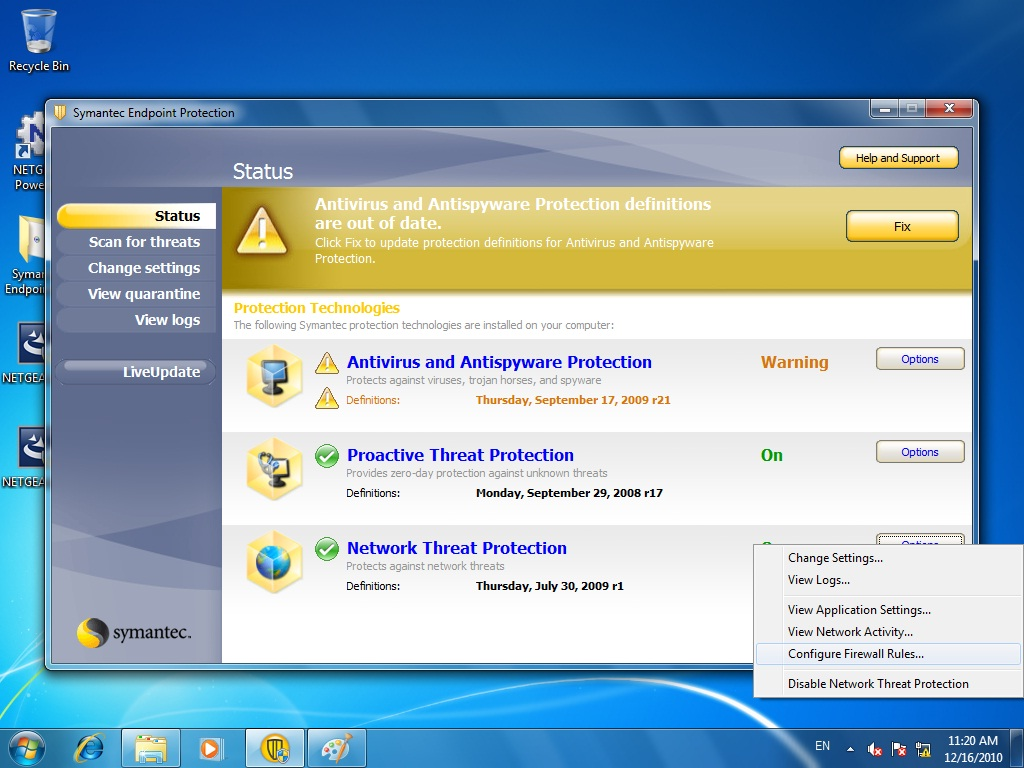
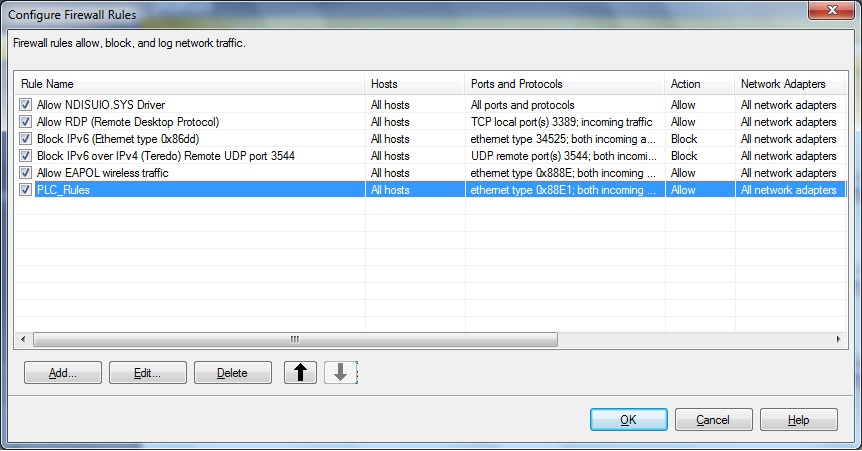
Symantec endpoint protection v11.0.5002.333 will do the network protection and filter the NETGEAR powerline utility network traffic. User can't see the device on powerline network. Please add the Ethernet protocol and type on Symantec software.
(Symantec endpoint protection v12.0.1001.95 doesn't have this problem).
Step1. Open Symantec Control Center and click the option in network thread protection, and then choose configure firewall rules.
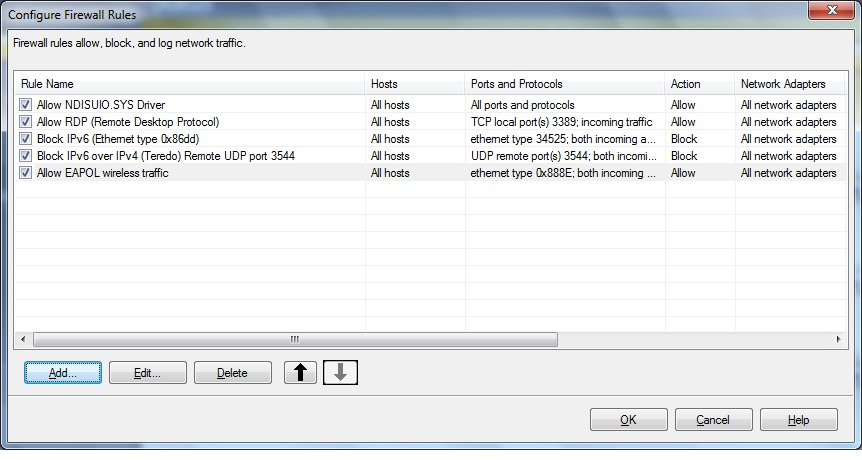
Step2: Click Add
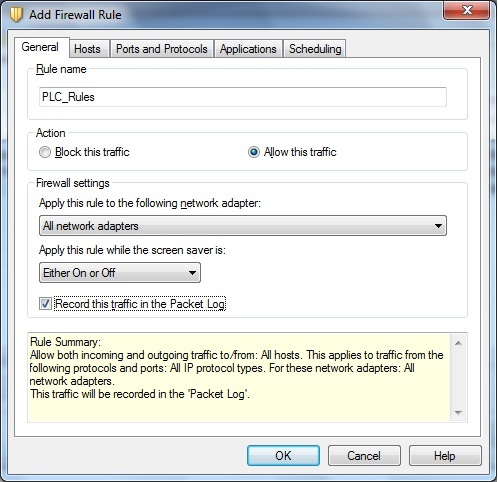
Step3: Type the name you like on Rule name and click Allow this traffic.
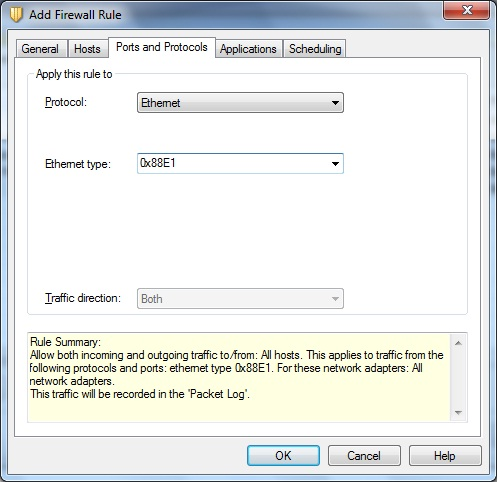
Step4: Go to Port and Protocols, choose Ethernet protocol and type 0x88E1 to Ethernet type; then click ok.
Step5: The rules has been added, restart the computer.
Installation Instruction:
- Download using the button below and save the file to a convenient location such as the desktop.
- Run the file you just downloaded and follow the on-screen install instructions.
