

After upgrading to Windows 10, you may experience a problem opening a VPN tunnel using the ProSAFE VPN Client.
There is two methods to resolve this issue.
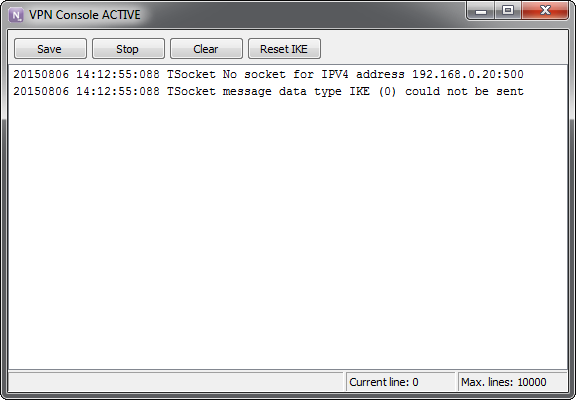
Open the Console and check for certain error messages
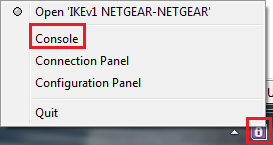
Open the console: Right click on the NETGEAR ProSAFE VPN Client icon in the system tray > Click Console
Check the VPN Client console logs for the following type of errors:
Method 1:
Disable the Windows IKEEXT service.
Go to 'Control panel' > 'Administrative Tools' > 'Services', set the 'Startup type' of the IKEEXT service to 'Disabled', then restart the VPN Client software.
Method 2:
Re-install the VPN Client software
The latest version of the software can be found of the NETGEAR ProSAFE VPN Client Professional product page.
Last Updated:07/08/2025
|
Article ID: 29777