

Using GUI.
- Go to System > Services > DHCP Pool Options configuration page
- Select configured Pool Name
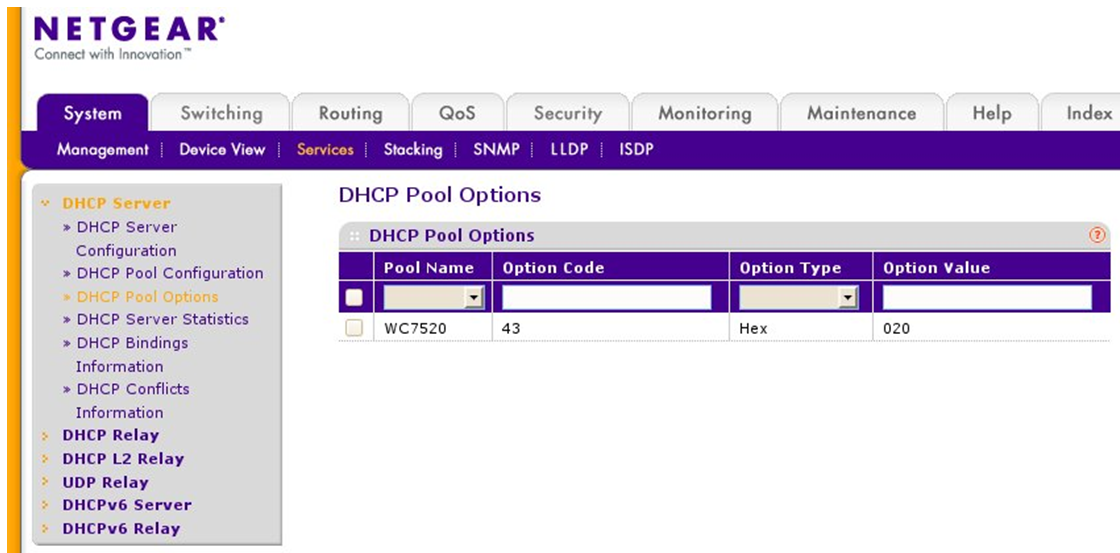
- Enter 43 for option code, select Hex as Option Type. Enter vendor prefix and IP address of wireless controller, both encoded in hex,
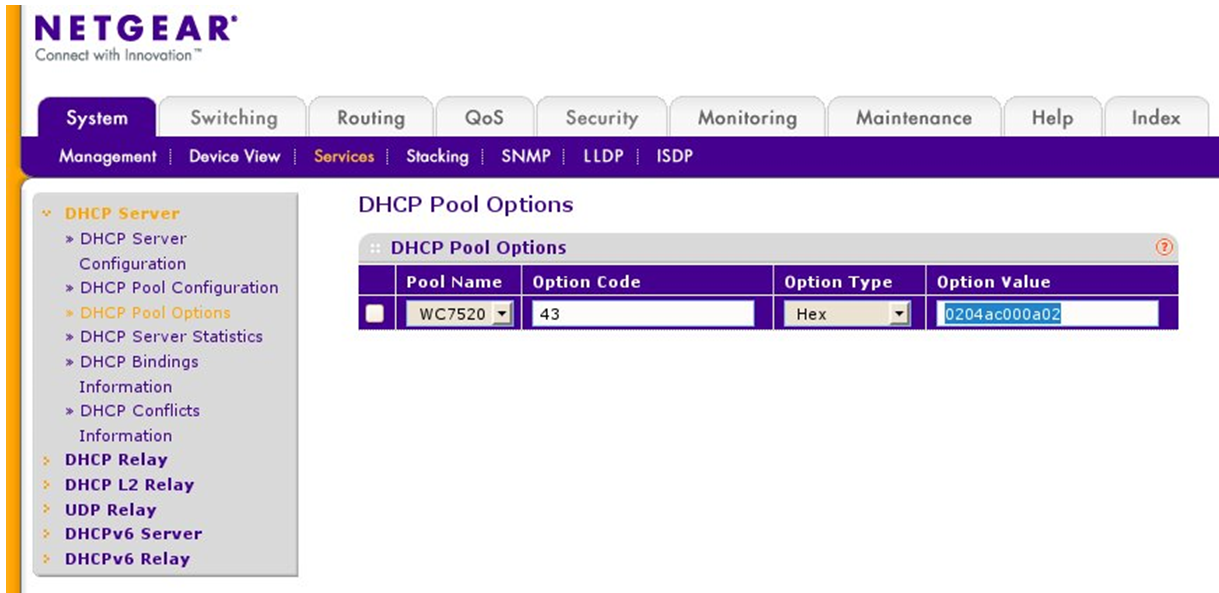
Vendor prefix for NETGEAR in this example is 02 04
Hexadecimal value for controller with IP address of 172.0.10.2 (decimal ) is ac 00 0a 02
The combined value, vendor prefix and IP will be 02 04 ac 00 0a 02
To convert an IP address to hexidecimal format you can use an online calculator. An example of one can be found here (link valid at time of creation) - Select ADD.
Using CLI.
Enter configured DHCP pool
> enable
# configure
(Config)# ip dhcp pool "WC7520"
Enter hex encoded IP address of wireless controller for 43 option field
Hex value for controller with IP address of 172.0.10.2 and vendor prefix will be 02 04 ac 00 0a 02
(Config-dhcp-pool)# option 43 hex 0204.ac00.0a02
Last Updated:10/17/2025
|
Article ID: 25151