

This article shows how to configure a Box to Box VPN policy on multiple NETGEAR devices. The policy settings on both ends are shown.
The devices used in this examples are:
Site A – UTM9S – Lan subnet 192.168.1.0/24
Site B – FVS318N – Lan subnet 172.22.104.0/24
Note: This document assumes that your ProSAFE/ProSECURE routers are either receiving a public IP address on the WAN interface. Or that the gateway device(s) have the correct port forwarding or DMZ configured, so that port 500 UDP is open for the ProSAFE/ProSECURE routers. These gateway devices must also allow VPN pass-through. Also note this is using the VPN Wizard on both devices. This article does not cover a manual configuration.
The values used in this scenario are only for this example only; certain values will depend on the setup of your network.
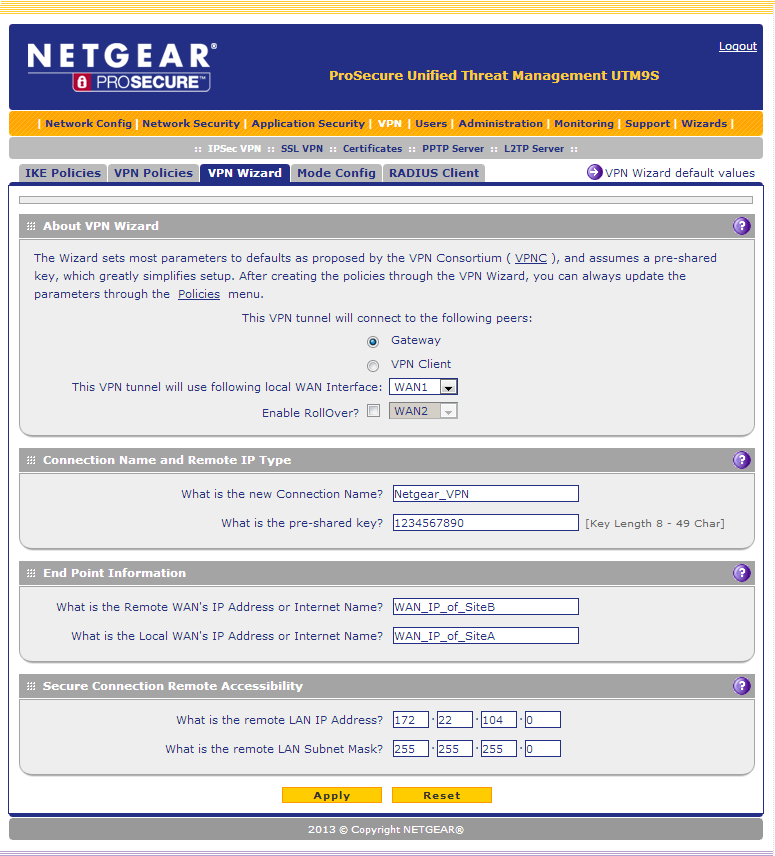
Setup Site A:
- Click VPN
- Click VPN Wizard
- Select Gateway
- Select WAN Interface the VPN tunnel will use (only for DUAL WAN units)
- Enter
- Enter Remote IP address or Internet name (IP address or internet name of the router the VPN is terminating at)
- Enter remote LAN IP and remote LAN Subnet Mask
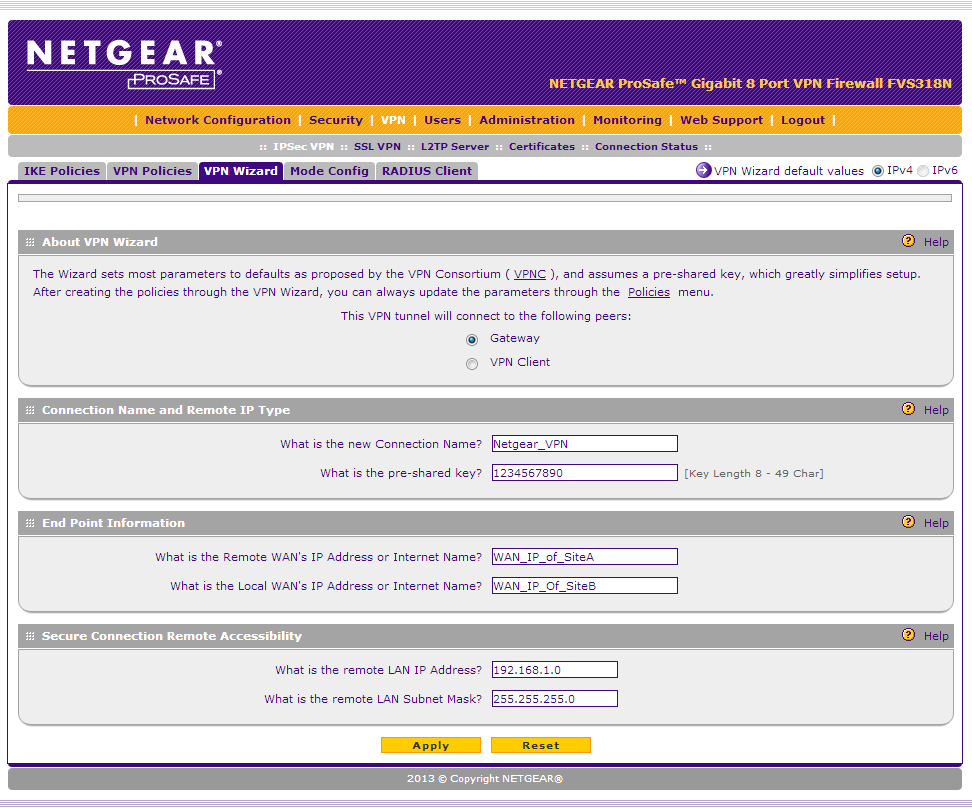
Setup Site B:
- Click VPN
- Click VPN Wizard
- Select Gateway
- Select WAN Interface the VPN tunnel will use (only for DUAL WAN units)
- Enter Connection Name and Pre-shared Key (these must be identical on both ends of the VPN)
- Enter Remote IP address or Internet name (IP address or Internet name of the router the VPN is terminating at)
- Enter remote LAN IP and remote LAN Subnet Mask
Check the VPN and IKE policies:
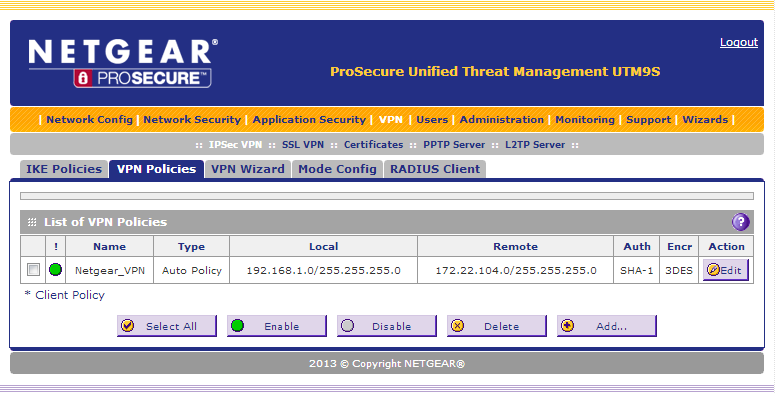
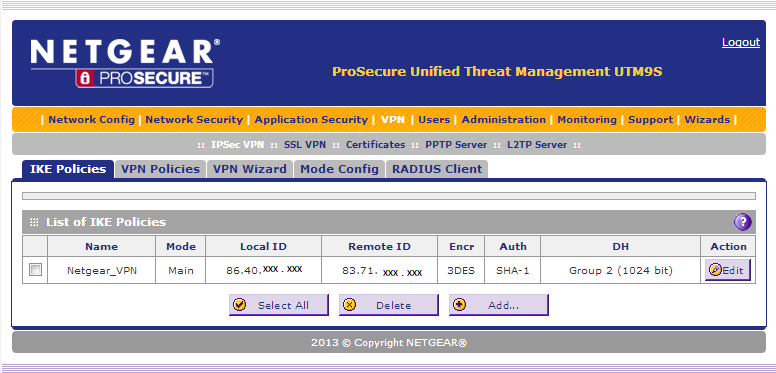
Once the wizard is complete you will see a VPN policy and IKE policy.
Here is the example of the Site A VPN Policy
IKE Policy
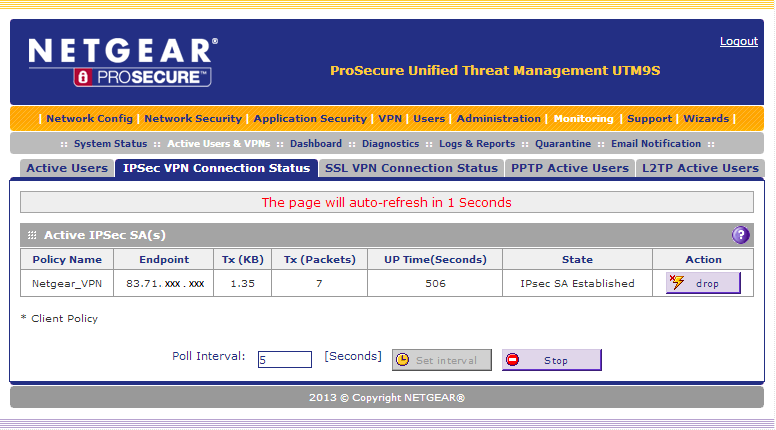
Check the VPN is established.
For ProSECURE go to: Monitoring >> Active Users & VPNs
For ProSAFE go to: VPN >> Connection Status
Here we see the VPN tunnel is established, and traffic is passing.
Test that traffic can pass through the Tunnel
- Go to Monitoring – Diagnostics.
- Select Ping through VPN Tunnel
- Enter IP address from other side of VPN tunnel
- Click Ping
