

To remove a VNIC:
1. Select Network.
The Network screen displays:
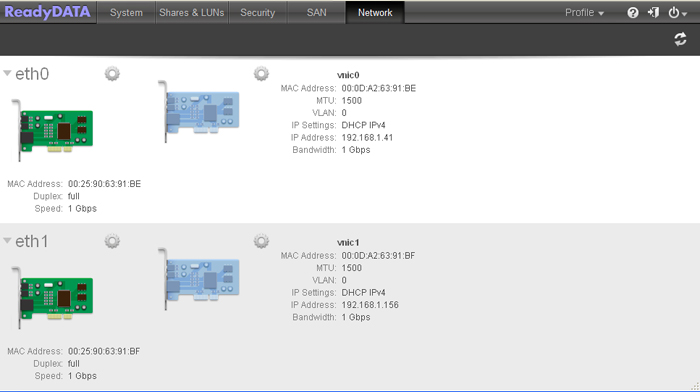
2. Click the gear icon to the right of the VNIC that you want to remove.
A pop-up menu displays:

3. Select Remove.
4. Confirm the removal.
Last Updated:07/07/2025
|
Article ID: 23476