

The ReadyDATA uses a host name to advertise itself on the network. When you review the network using RAIDar, a computer, or any other interface, you can recognize the ReadyDATA by its host name.
The default host name is RES- followed by the last six bytes of the system's primary MAC address. You can change the host name to one that is easier to remember and recognize.
To change the host name:
1. Click System > Overview > Hardware.
The Dashboard home screen displays the system information:
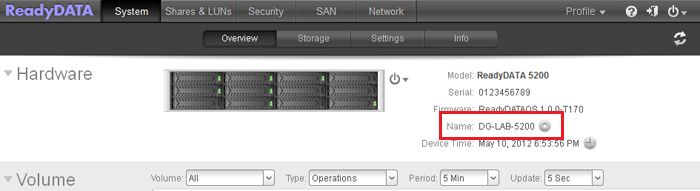
2. Click the gear icon to the right of the Name field.
The New Hostname pop-up screen displays:
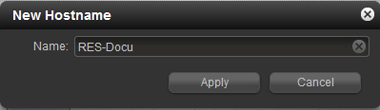
3. In the Name field, enter a new host name.
The host name can have a maximum of 14 characters in most non-Asian languages. If you use Asian language characters, the limit is lower.
4. Click Apply.