

If your system contains only one volume, you can easily switch from Flex-RAID to X-RAID2. Data on the Flex-RAID volume is preserved when you switch to X-RAID2.
If your system contains multiple volumes, you must first reconfigure your disks into a single volume.
Note: When you switch to X-RAID2 mode, any extra disks installed in your system are automatically reformatted and used for storage expansion.You cannot change the RAID mode of a RAID 0 or RAID 10 volume.
To change from Flex-RAID to X-RAID2 on a single-volume system:
1. Select System > Volumes.
2. Click the X-RAID button at the right side of the screen.
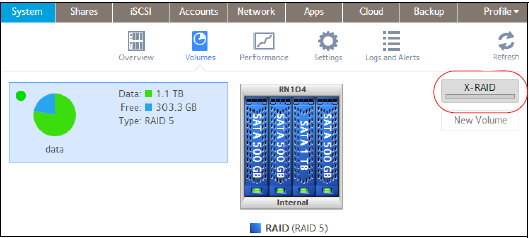
3. Confirm that you want to switch from X-RAID2 to Flex-RAID.
The volume switches from Flex-RAID mode to X-RAID2 mode and the indicator on the X-RAID button turns green.
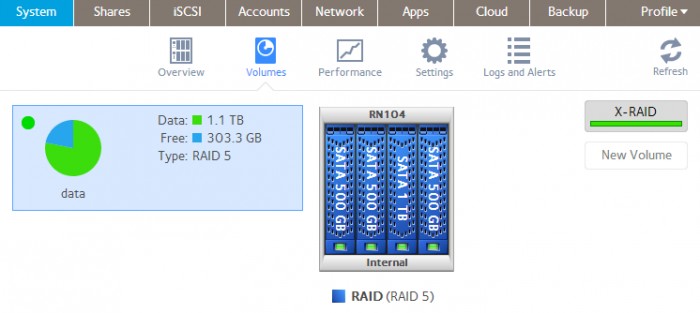
Any available drives are automatically used for storage expansion.
For more information about switching volumes from X-RAID2 to Flex-RAID, see the How do I change the volumes my ReadyNAS OS 6 storage system from X-RAID2 to Flex-RAID?