

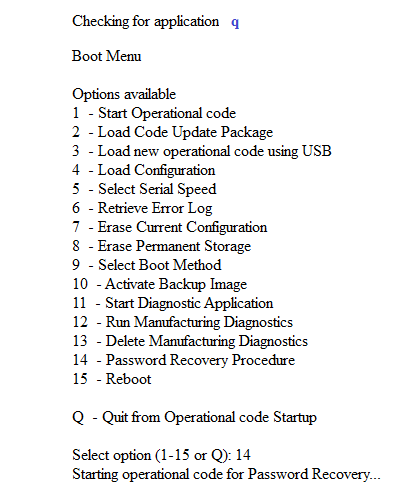
To recover the admin password from the boot menu on the M5300:
- From the boot menu select option 14 and press enter.
The unit starts up as normally. - When you get to the User: prompt, press enter.
You enter into the enable mode immediately.
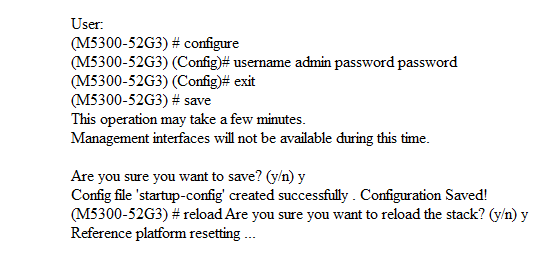
To change the password:
- Enter configuration mode with the config command.
- Reset the admin password with the username admin password command.
- Exit out of the configuration mode with the exit command.
- Save the new password with the save command.
- Reboot the switch with the reload command.
- Answer y (yes) to the questions about reloading the stack.
Last Updated:07/07/2025
|
Article ID: 8009