

To load new operational code using a USB from the boot menu on the M5300:
- From the boot menu, select option 3 and press enter.
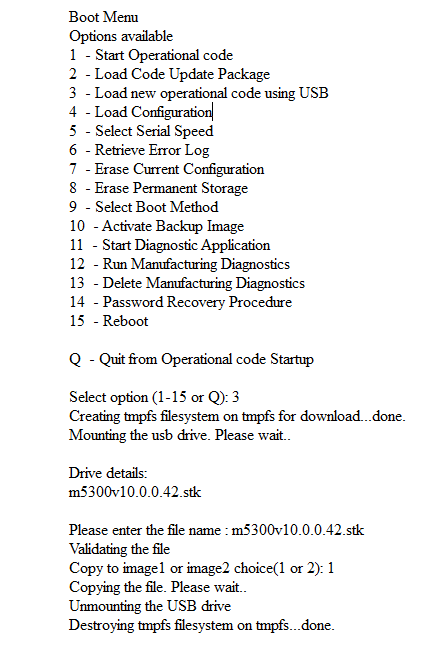
- When prompted, enter the file name of the stk image for the firmware and press enter.
- When prompted, enter either 1 or 2 to select the image that you want to save the new firmware to.
- Enter 15 to reboot the switch.
Last Updated:07/07/2025
|
Article ID: 8007