

To activate the backup Image from the boot menu on the M5300:
- From the boot menu, select option 10 and press enter.
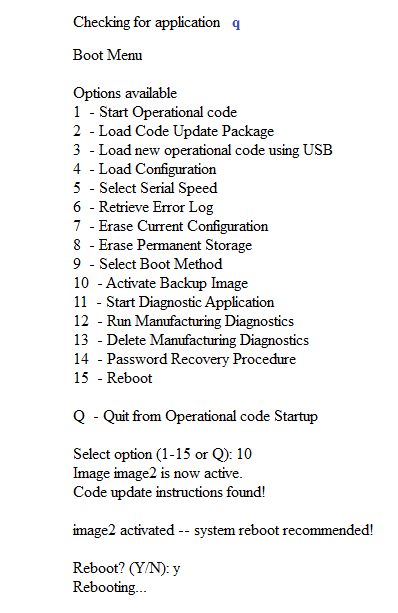
The boot menu displays the image that has been activated and prompts you to reboot. - Select Y.
The unit now reboots on the backup Image.
The backup image is image1 if the active image is image2.
Last Updated:07/07/2025
|
Article ID: 8006