

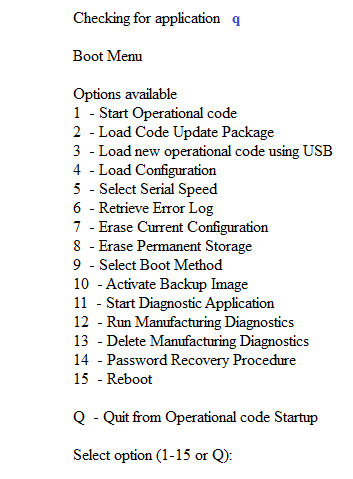
To access the M5300 boot menu:
- Open a serial connection to the device with these settings:
- Speed (baud). 115200
- Data bits. 8
- Stop bits. 1
- Parity. None
- Flow control. XON/XOFF
- To enter the boot menu, connect your preferred console application using these settings.
- Reboot the switch.
The switch reboots. - As soon as you see Checking for application displayed, press and hold the q key.
The normal boot cycle is interrupted. - Continue holding until the boot menu idisplays.
Last Updated:07/07/2025
|
Article ID: 8005