

Wireless link rate is the maximum speed that a wireless client can get to transfer files across the wireless router. It is different from the internet speed that you are getting from your Internet Service Provider.
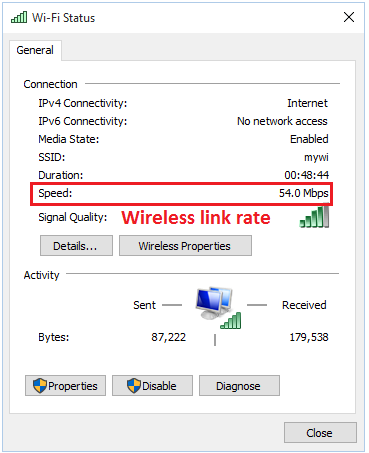
Reducing your wireless router's wireless mode will result in getting a slower link rate. Getting a slower link rate will result in slower internet speed. The speed that you are getting from the application layer (where file transfer and internet browsing happen) is much slower than the Physical layer rate (wireless link rate). For example, your wireless laptop is connecting to your wireless router at 300 Mbps. The application layer rate usually corresponds 50 to 90 Mbps. The reasons behind this are high overhead involved in wireless connection and data retransmission.
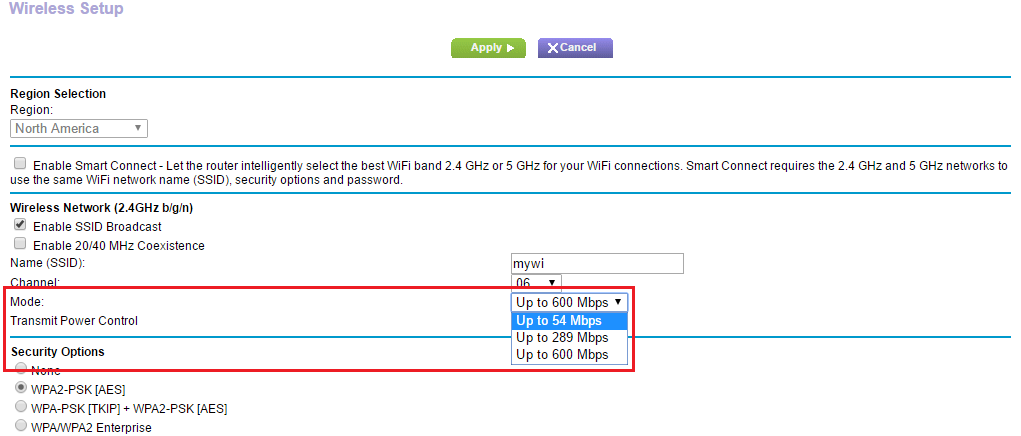
Older wireless clients that only work with WEP or WPA-TKIP security will get a wireless link rate of up to 54Mbps as specified in the IEEE 802.11n standard. 54 Mbps actual data transfer speed is up to 22 Mbps only.
This is also the reason why the internet speed is slow when you are further away from your wireless router and not getting a good wireless signal. Wireless signal strength is directly related to wireless link rate. As the wireless signal drops, the wireless link rate also drops.
Now we know that reducing the wireless mode will result to slower internet speed.