

Using Backup Settings, you can create a backup file of your current Wi-Fi extender settings. The backup file will contain all the extender’s configuration settings, like Wi-Fi settings, Password, Access Schedule etc. The backup file saved in your computer and can be used to restore your settings if the extender has been reset to factory default settings.
To save the settings:
- Open the NETGEAR genie of your extender using a web browser by typing http://www.mywifiext.net in the address bar.
- When prompted for Username and Password, type your email and password that you have used to setup your extender.
- On the left side of the NETGEAR genie page, click Settings and then click Other which opens the Other Settings page.
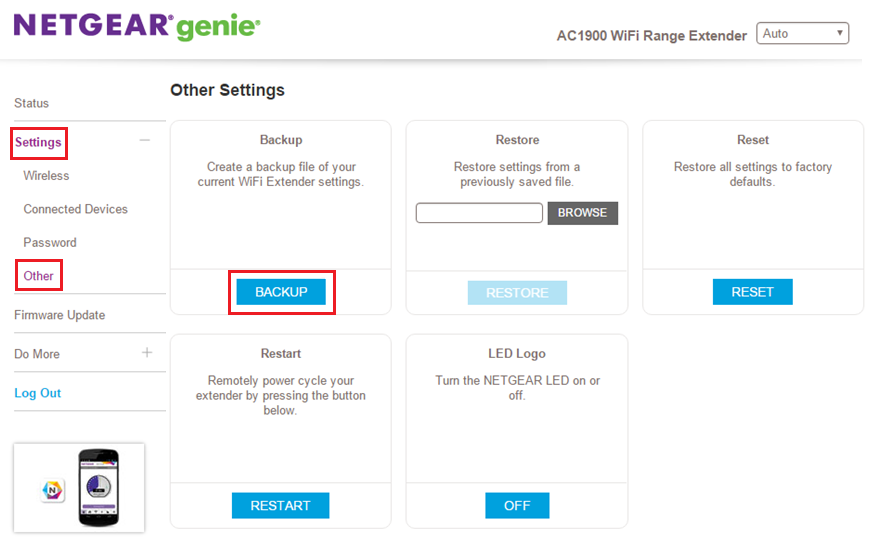
- In Other Settings page, click the BACKUP button and save the current settings of your extender in your computer.
To restore the settings:
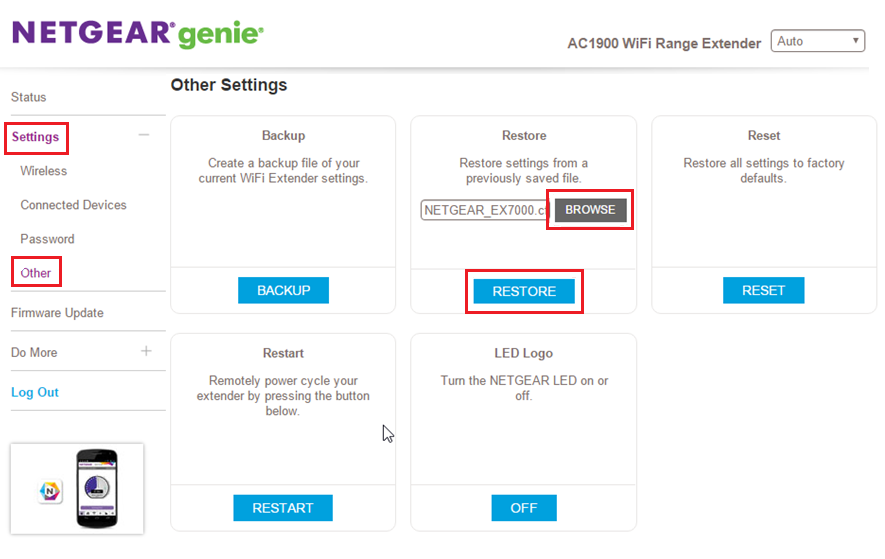
- To restore the extender settings from a backup file saved in your computer, go to the same Other Settings page and click Browse under Restore.
- Navigate to the location where the backup file was saved and select it.
- Click the RESTORE button to restore the settings.
- Click Yes in the extender’s restore confirmation page.
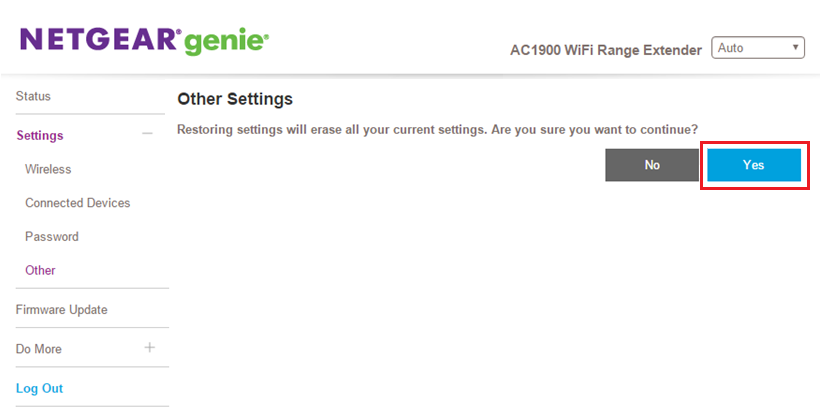
- The extender will upload the backup file and reboot the extender.
Last Updated:07/07/2025
|
Article ID: 30429