

Overview
This article helps you to retrieve and display the C6300 Product Label in order to locate the WiFi Network Name (SSID) and Password (Network Key).
Symptoms
- Unable to find the WiFi Network name on C6300
- Forgot the default Wireless Password
- Unable to Connect to the Wireless network
Resolution
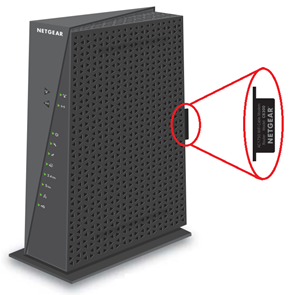
- Locate the label handle at the rear end of C6300 with NETGEAR printed on it, as shown in the below Figure.
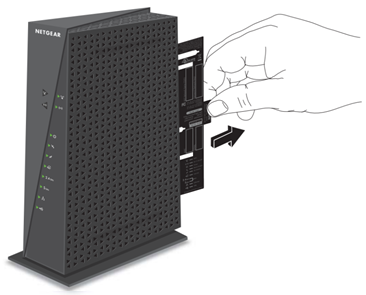
- Pull out the product label to find your WiFi network name (SSID) and Password (Network Key).
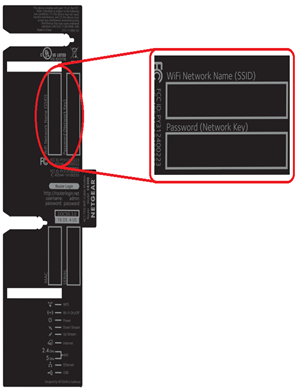
- You can find your WiFi network Name (SSID), and Password (Network Key) on top of the label, as shown in the below figure.
Note: Bottom of the label contains the MAC address, and Serial number of C6300.
- To connect a Wireless device to C6300. Click on your WiFi network name (SSID), and enter the Password (Network Key) when prompted.
Last Updated:07/07/2025
|
Article ID: 26944