The memory test boots up a small operating system with the sole purpose of testing the memory. It goes through a few stages of writes and reads. It first writes some data to the memory (RAM) and then reads it back. Matching results indicate properly working RAM.
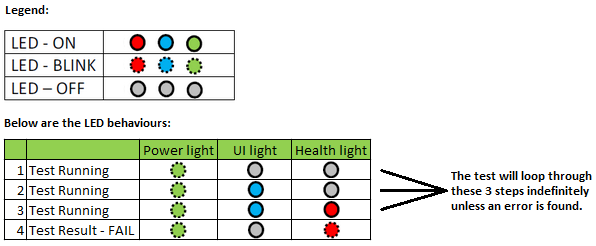
On the RN3220 and RN4220, the LEDs on the front of the unit are used to indicate memory test progress as well as success or failure of the test.
The memory test runs indefinitely unless it encounters a memory failure. Refer to the diagram below which indicates the behaviour of the LEDs during the test and how to interpret a failure. The recommendation is to allow the test to run for at least 3 hours. If no failures are indicated, then it can be assumed that the memory is good. To cancel the memory test, power off the unit.
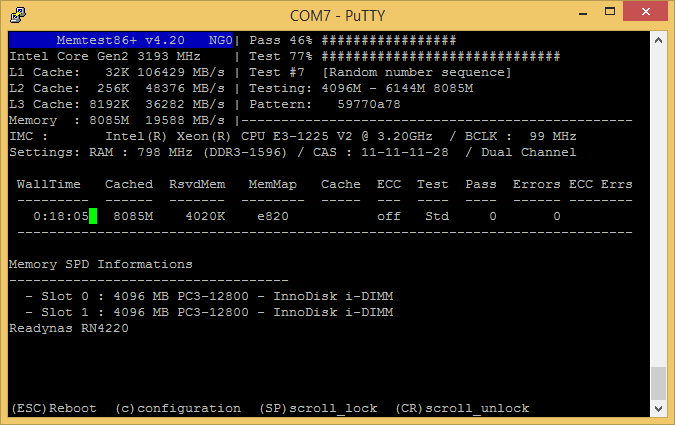
Note, you may also connect to the COM port on the rear of the system and use a terminal emulation program such as Putty (baud rate of 115200) to view the status of the memory test. Below is a screenshot of a test in progress: