

Dynamic Quality of Service (QoS) helps improve your router’s Internet traffic management capabilities through better application and device identification, bandwidth allocation, and traffic prioritization techniques. Dynamic QoS resolves traffic congestion when the Internet bandwidth is limited and different demands compete for bandwidth.
If your Internet download and upload speed is 250 Mbps or less and you like gaming and streaming video, then you can benefit from enabling Dynamic QoS.
Note:If you use a gigabit Internet connection, or your Internet download and upload speed is 300 Mbps or faster, then you don’t need to use Dynamic QoS.
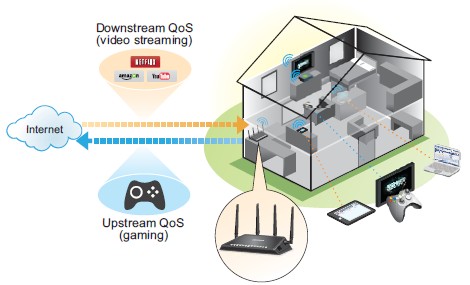
Note:If you use a gigabit Internet connection (300 Mbps throughput or faster), then you don’t need to use QoS.
For more information, see the following pages:
- "How do I enable Dynamic QoS on my Nighthawk router?
- "How do I enable or disable the Automatic Dynamic QoS database update on my Nighthawk router?
- "How do I manually update the Dynamic QoS database on my Nighthawk router?
- "How do I opt in to participate in Dynamic QoS analytics on my Nighthawk router?