

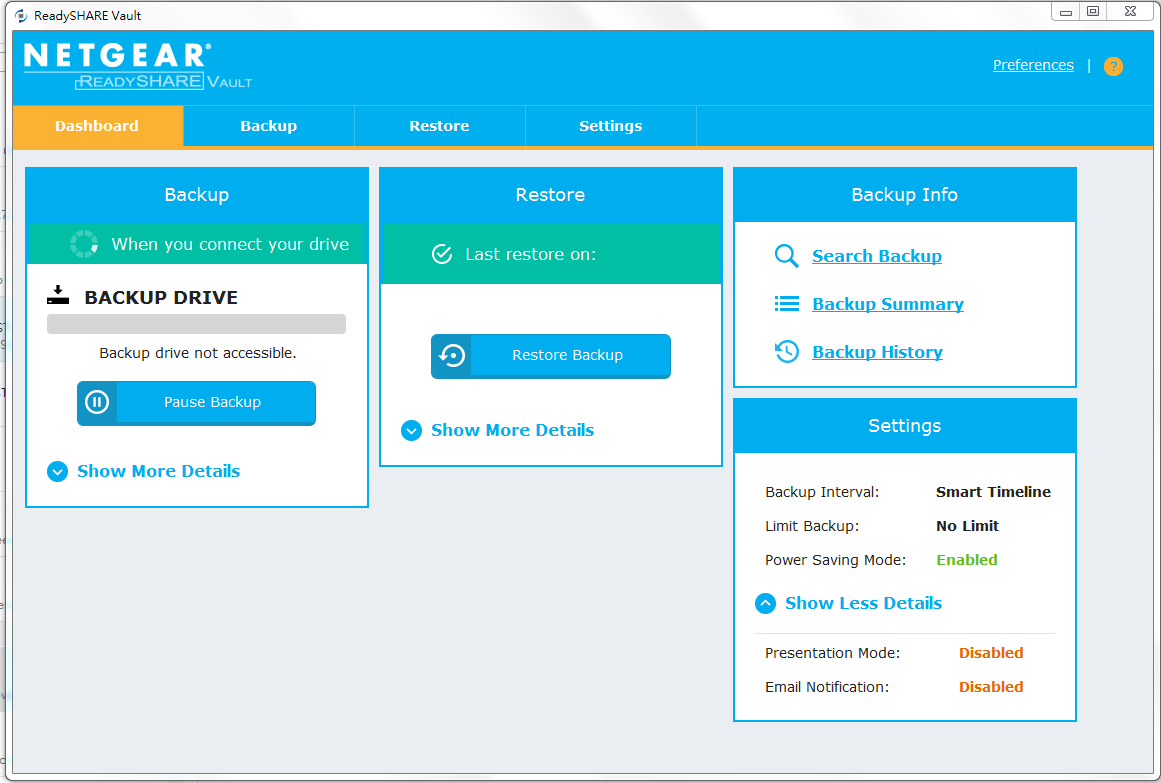
New User Interface:
- New material design
- New colors
- New gradient and 3D effects
Bug Fixes, New Features or Enhancements:
- Search Backup. You can now search for backed-up files and folders
- Search Summary. You can view a summary of your backup statistics
- Backup History. You can view a full history of your backup jobs.


To Install:
- If you previously installed ReadySHARE Vault utility, uninstall the old ReadySHARE Vault utility.

- Install the new ReadySHARE Vault utility on your Windows computer.
Important Note:
- ReadSHARE Vault needs Microsoft .NET Framework 4.0. Please make sure your PC supports it. For example Windows XP should upgrade to service pack 3. Basically Win7 and Win8 should already support Microsoft .NET Framework 4.0
Using the Download Link below, download and extract the new firmware to a convenient place such as your desktop. The filename after extracting is ReadySHAREVault-install.exe
Download Link: https://www.downloads.netgear.com/files/GDC/RD5200/ReadySHAREVault-install-v2.0.10.100.zip
Last Updated:07/07/2025
|
Article ID: 25411