

The router uses load balancing to distribute WiFi connections among all three WiFi bands, to ensure that both the WiFi bands are utilized. Load balancing avoids overloading a single 5 GHz band and ensures that both the WiFi bands are utilized and device connections are spread across the two bands.
For example, if three mobile devices are connected to one 5 GHz band, the fourth device is automatically connected to the other 5 GHz band.
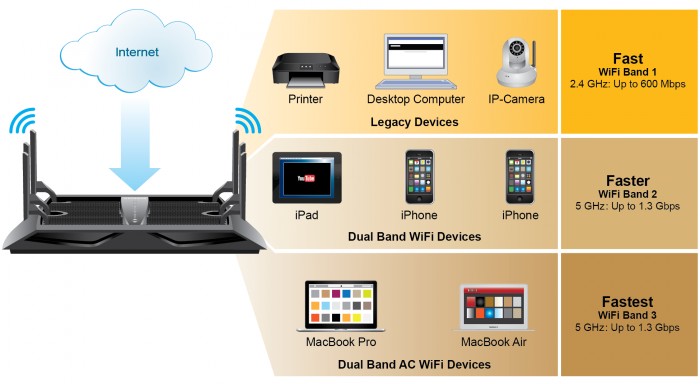
Slower devices like printers, older computers, or an IP camera connect to the 2.4 GHz band. Having two 5 GH bands prevents overloading when many devices use WiFi at the same time.
For more information see What is Tri-band
Last Updated:07/07/2025
|
Article ID: 25345