IPMI (Intelligent Platform Management Interface) is an out-of-band management interface.
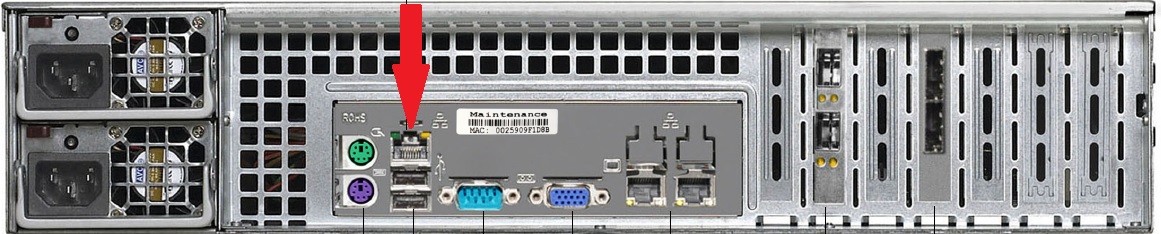
The RD5200 has a dedicated IPMI port that is marked by the red arrow in the diagram below. The IPMI port is labelled on the rear of the unit as IPMI, Maintenance, or LAN3.
Does NETGEAR support the use of the IPMI port?
No. The IPMI port is for use by NETGEAR technical support in situations where it is needed. While the use of the IPMI port is not supported by NETGEAR, you may wish to secure the IPMI port (see below for further information).
What does NETGEAR recommend?
For security reasons, NETGEAR recommends that administrators change the default credentials of the IPMI and if necessary, change the default connection type of the IPMI (the default is failover). Other than these changes, the IPMI is intended to be used only when instructed by support.
What is failover mode?
Failover mode means that on boot, the RD5200 checks to see if the IPMI port is connected.
- If the IPMI port is connected, then IPMI uses that port for a failover.
- If the IPMI port is not connected, then IPMI uses the LAN1 interface for a failover.
How can I find the IP address assigned to the IPMI?
By default, IPMI is configured for DHCP.
- Look at the label on the rear of the unit to determine the MAC address that is assigned to the IPMI port. Typically, the IPMI port has a MAC address beginning with 00:25.
- Check your DHCP server for the IP address that is assigned to this MAC address.
How can I access the IPMI UI?
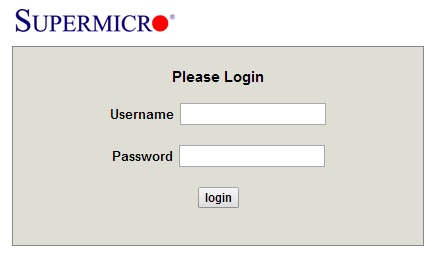
Open a web browser and log in to the IP address assigned to the IPMI. The log-on screen looks like this:
What are the default credentials for the IPMI?
The default credentials are:
- Username. ADMIN
- Password. ADMIN
How can I change the ADMIN password?
In the IPMI UI, go to the Configuration - Users screen. Click the ADMIN user button and select the Modify User tab. Change the password as shown below:

How can I change the default connection method?
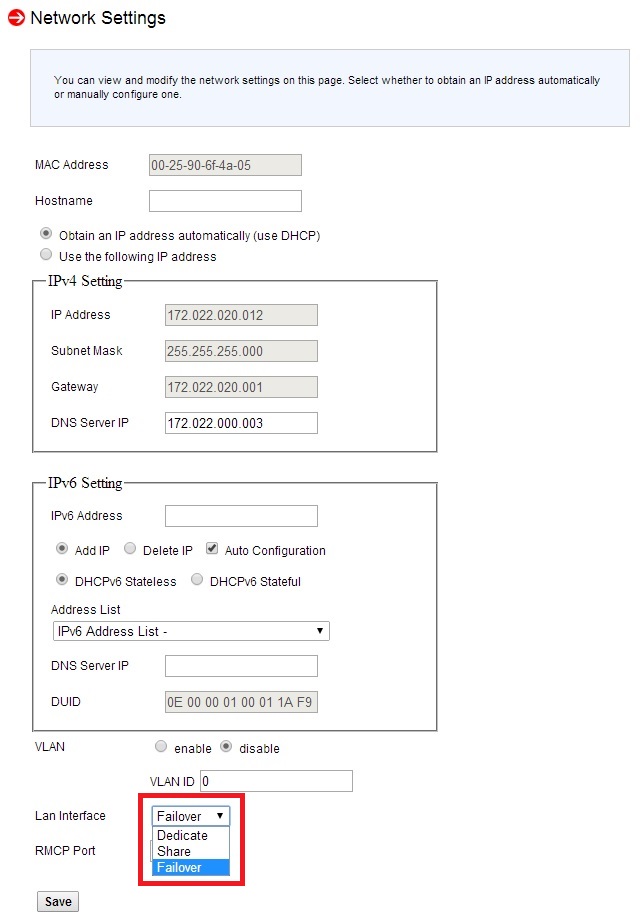
In the IPMI UI, go to the Configuration - Network screen. In the LAN Interface pulldown (marked in red in the screenshot below), change the option as needed.
- Failover. Failover mode means that on boot, the RD5200 checks if the IPMI port is connected.
-
- If the IPMI port is connected, then IPMI uses that port for a failover.
- If the IPMI port is not connected, then IPMI uses the LAN1 interface for a failover.
- Dedicate. Always use the dedicated IPMI port.
- Share. Always use the LAN1 port.