

This article will show the step-by-step procedure on how to install WN3000RP v2 as a wireless extender.
To install WN3000RPv2:
- Plug your WN3000RPv2 into an electrical outlet. The WN3000RPv2 should be halfway between your wireless router and the computer with a poor signal.
- Wait for the Power LED to become solid green.
Note: If the device did not turn on, push the Power button on the side of the WN3000RPv2.
- Using your wireless computer, tablet or smartphone, view the available wireless networks and connect to the WN3000RPv2 SSID. The SSID is:
- SSID: NETGEAR_EXT
- Once connected to the network, the Extender Client Link LED will turn on.
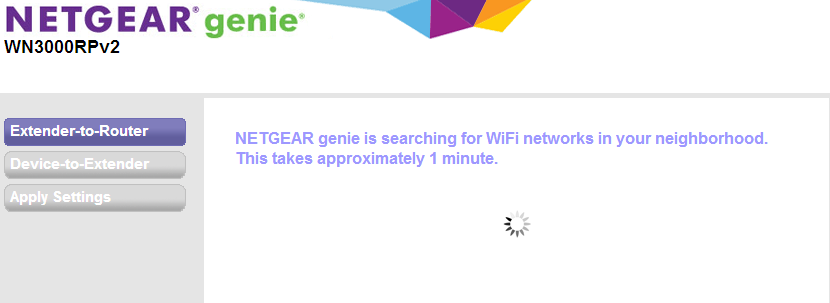
- Launch an internet browser and go to www.mywifiext.net. NETGEAR genie displays.
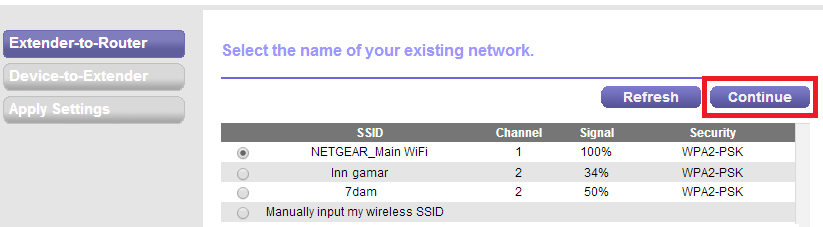
- Select the SSID and click Continue.
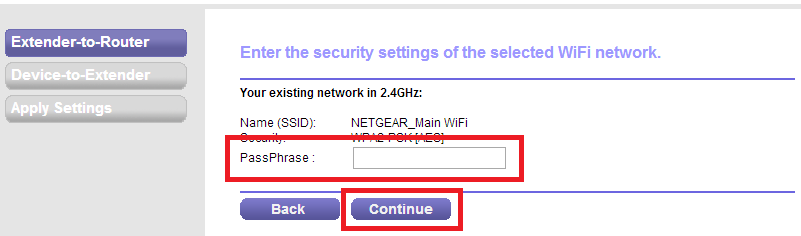
- Type the network passphrase/key and click Continue.
- Enter the settings for the Extender and click Continue.
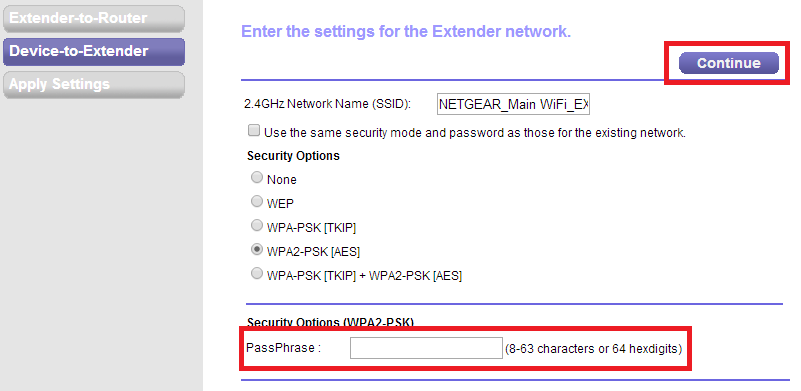
Note: Check Use the same security mode and password as those for the existing network to use the same wireless security settings of the main wireless network.
- NETGEAR genie will now apply the settings.
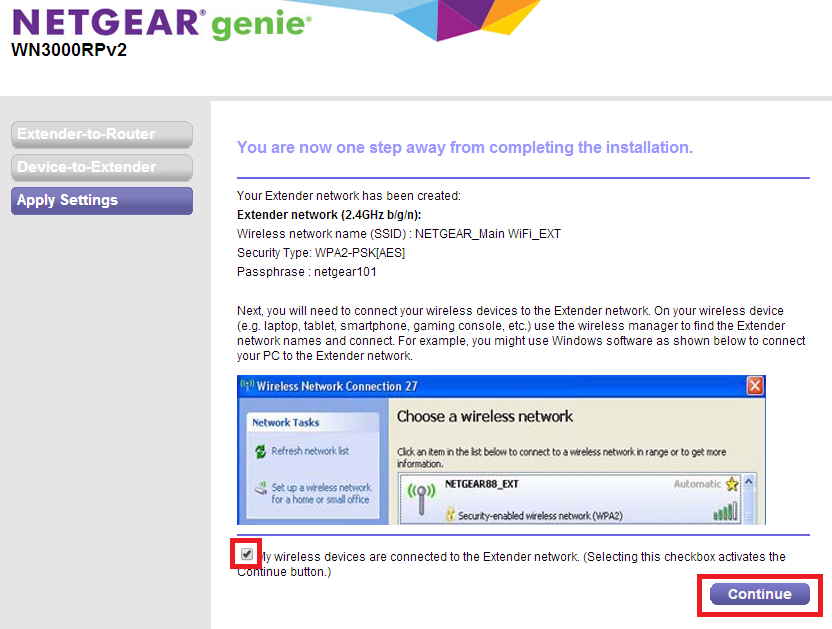
- Connect to the extender wireless network and click Continue.
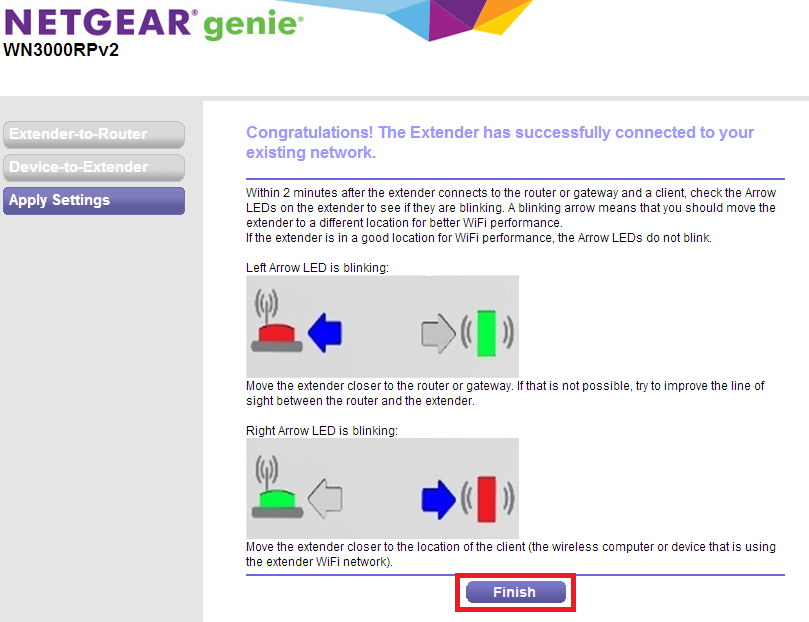
- Click Finish after getting the Congratulations page and the Arrow LEDs turn on.
Last Updated:07/07/2025
|
Article ID: 24641