

The Light-Emitting Diodes (LEDs) on your NETGEAR EX6100 indicate the status of the connection between your router and the devices connected to it. The LED arrows can be used to diagnose or isolate the problem of your EX6100. Here is an illustration of what the LED arrows mean on the EX6100.
If the WiFi signal is weak while connecting to the extended network for the first time, an arrow LED will blink on the extender for two minutes. A blinking arrow means that you should move the extender to a different location for better Wi-Fi performance.
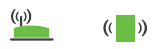
No Arrow LEDs Are Lit:
The EX6100 is at a good location.

Left Arrow Is Blinking:
Move the extender closer to the router or gateway. If that is not possible, try to improve the line of sight between the router and the extender.

Right Arrow Is Blinking:
Move the extender closer to the location of the client (the wireless computer or device that is using the extender Wi-Fi network).
No LEDs lit:
If all of the LEDs are off, it indicates no connection.