

This article will show how to edit or change the existing wireless settings of the EX6100.
To change the wireless settings:
- Make sure that the wireless computer, tablet or smartphone is connected to the EX6100 wireless network.
- Open an internet browser and go to www.mywifiext.net.
- When prompted, type admin as default username and password for default password.
- Click Setup > Wireless Setup.
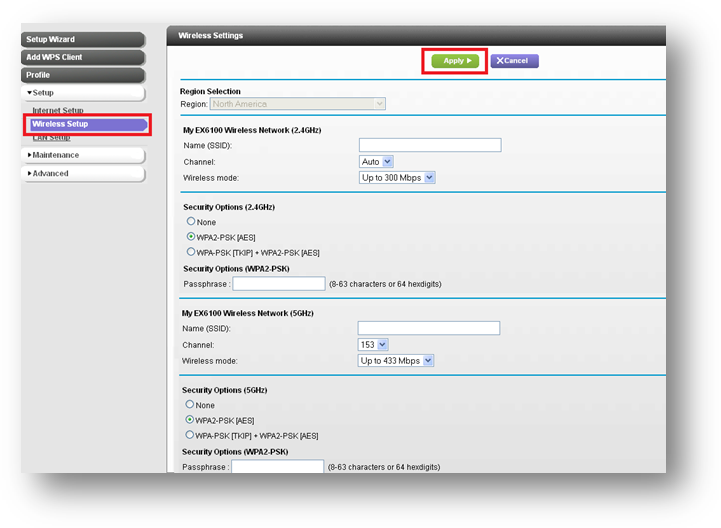
- Delete the existing SSID and type the preferred new one.
Note: You can set the SSID to be the same as your main network. - Select the desired security type under Security Options.
- Type the new passphrase.
- Click Apply.
Note: The wireless computer will be disconnected from the old network. Use the wireless client utility to reconnect to the new wireless network profile.
Last Updated:07/07/2025
|
Article ID: 24434