

Snapshots on LUNs behave differently depending on whether the LUN is thick or thin.
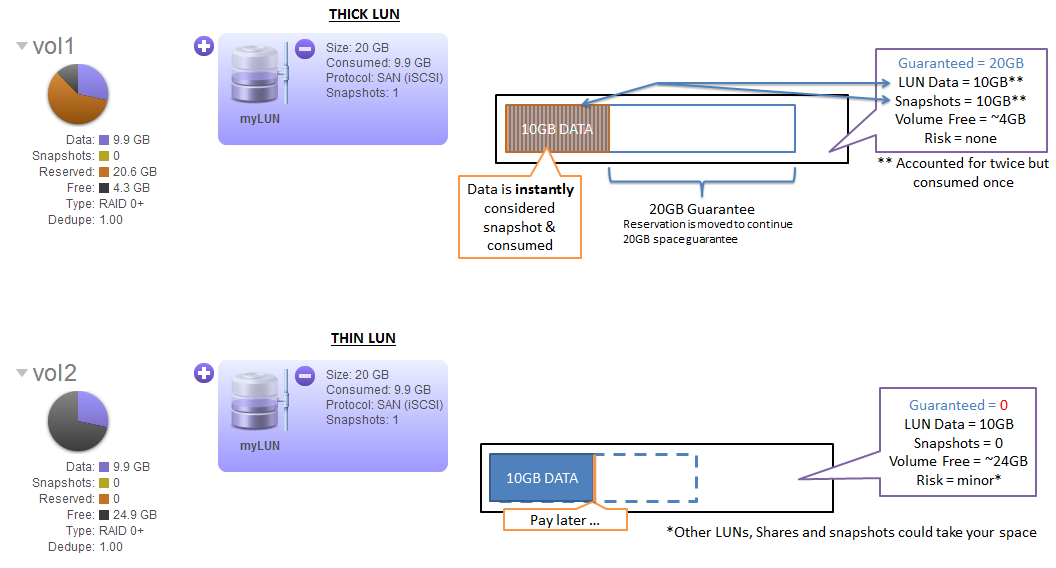
A thick LUN always reserves the space needed for its full capacity. When a snapshot is created on a thick LUN, any data within the LUN will be instantly considered as snapshot data. The system will then look to move the reservation so that the LUN is guaranteed its full capacity outside of the space used by snapshots. A snapshot failure will occur when the system does not have sufficient space to allow for the snapshot data plus the reservation for the LUN. This makes snapshots on thick LUNs seem very taxing.
A snapshot that is created on a thin LUN however seems more efficient, it will not convert existing data to snapshot data until the data itself is re-written. It also doesn’t reserve any space for the future.
In summary, a thick LUN will reserve the total space it needs at any time and will pay up front for snapshots. A thin LUN will pay for snapshots consumption as it consumes space in a more pay-as-you-go manner.
Note that regardless of the strategy chosen, at some point you need the right amount of physical capacity for your application and it’s protection.
The above is best demonstrated with an example.
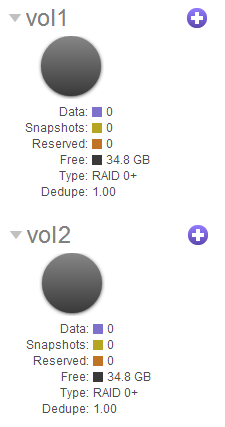
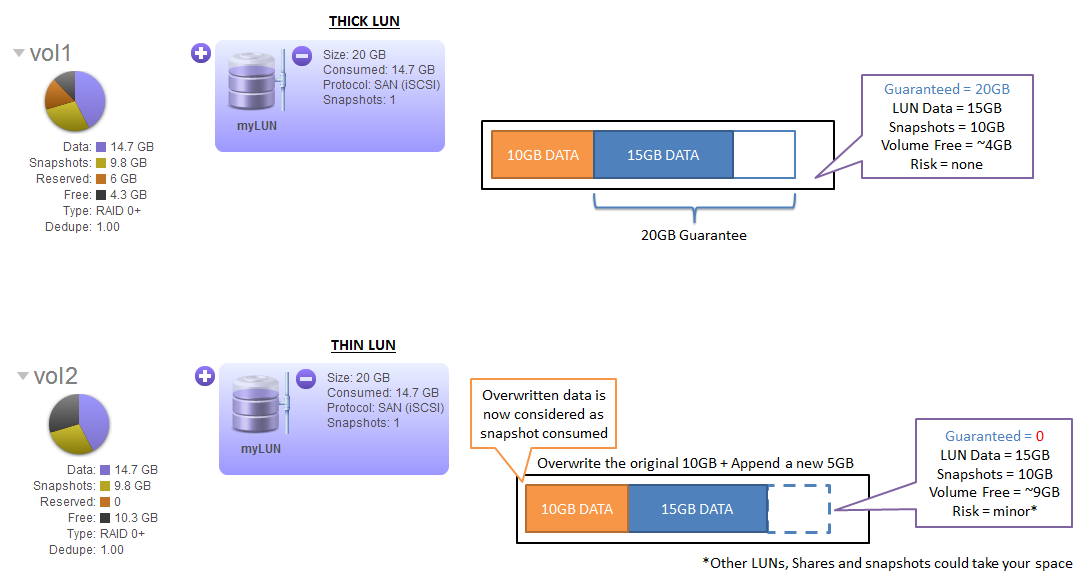
- On 2 separate ReadyDATA systems, we create identical volumes (vol1 & vol2) each being approximately 34GB in size:
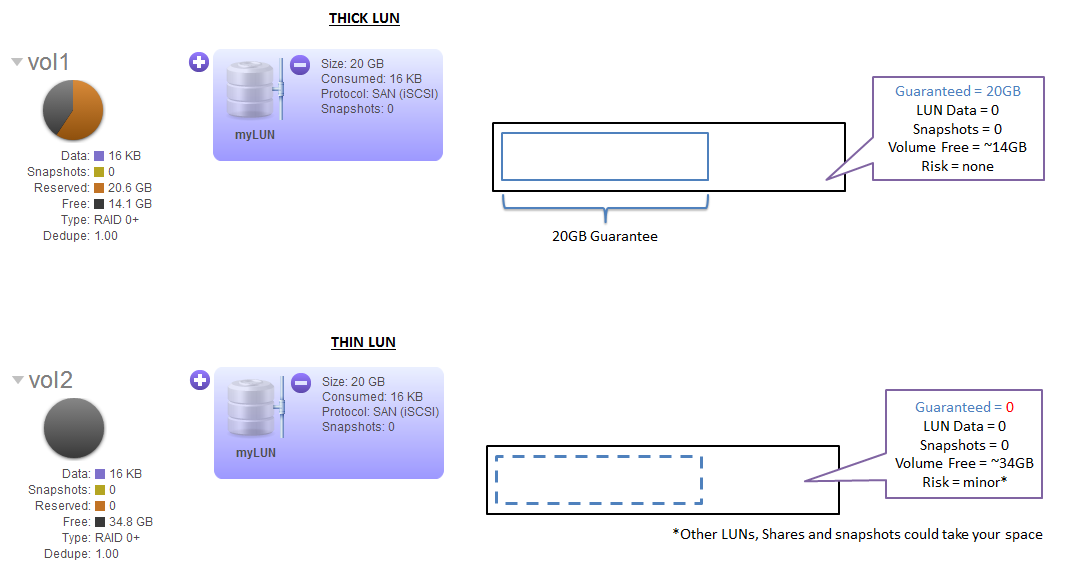
- On one system, we create a 20GB thick LUN and on the other we create a 20GB thin LUN:
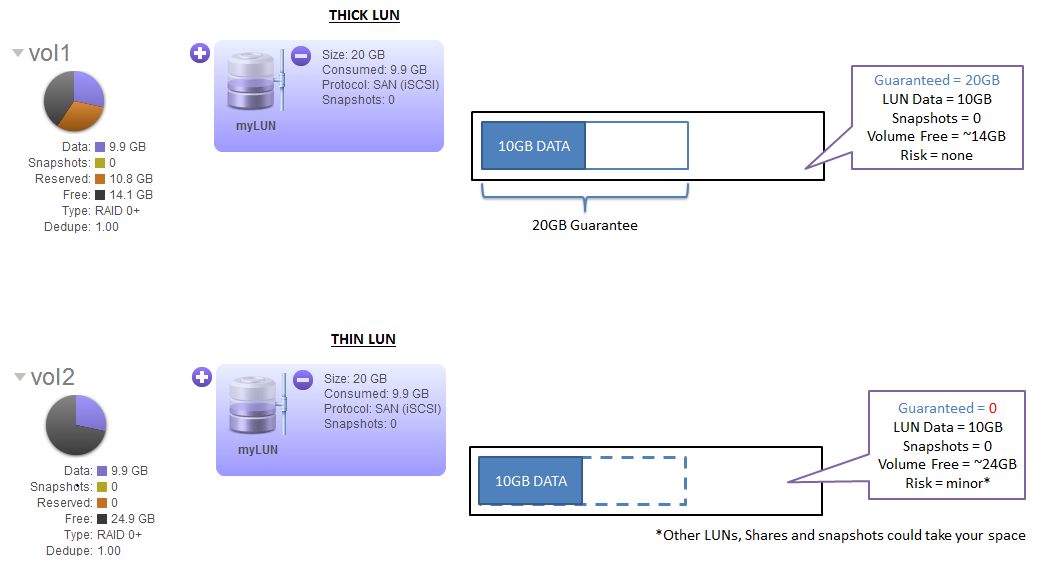
- Next, we write 10GB of data to each LUN:
- Next, take a snapshot on each system (in this example the snapshot is taken manually but the same applies to snapshots taken by continuous protection or taken by ReadyDATA Replicate):
- Next, we over-write the existing 10GB of data and append 5GB of new data:
- Now we try to take another snapshot:
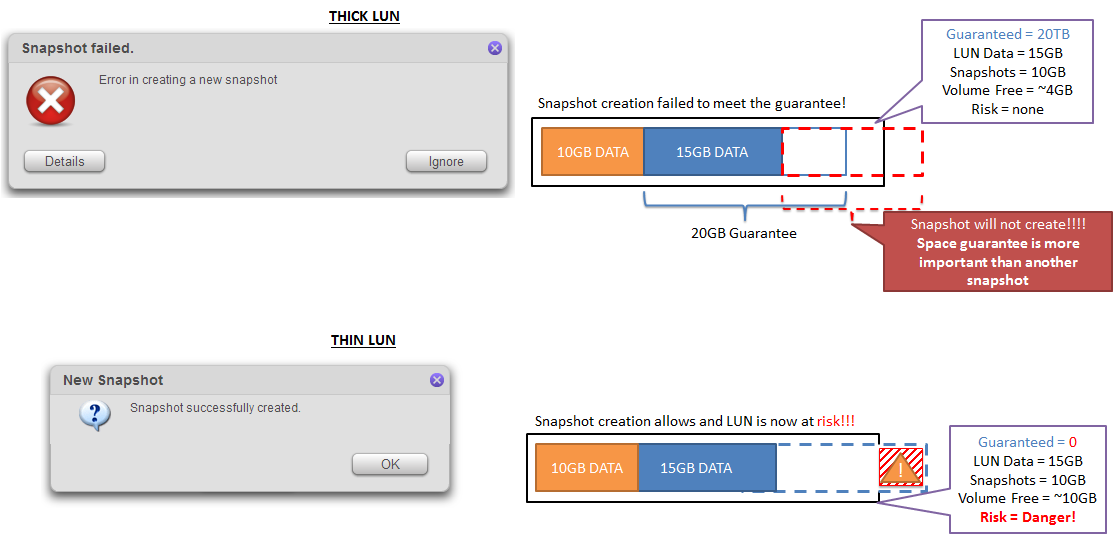
The snapshot on the thick LUN has failed because there was insufficient space to allow for the snapshotted data plus the reservation for the LUN.