The ReadyDATA and Windows do not always agree on how much space is used and how much space is free inside a LUN.
This is because the ReadyDATA cannot really see inside the LUN and cannot understand the NTFS structure that Windows has written inside the LUN (remember that the ReadyDATA is using ZFS for its filesystem).
This is best demonstrated with an example.
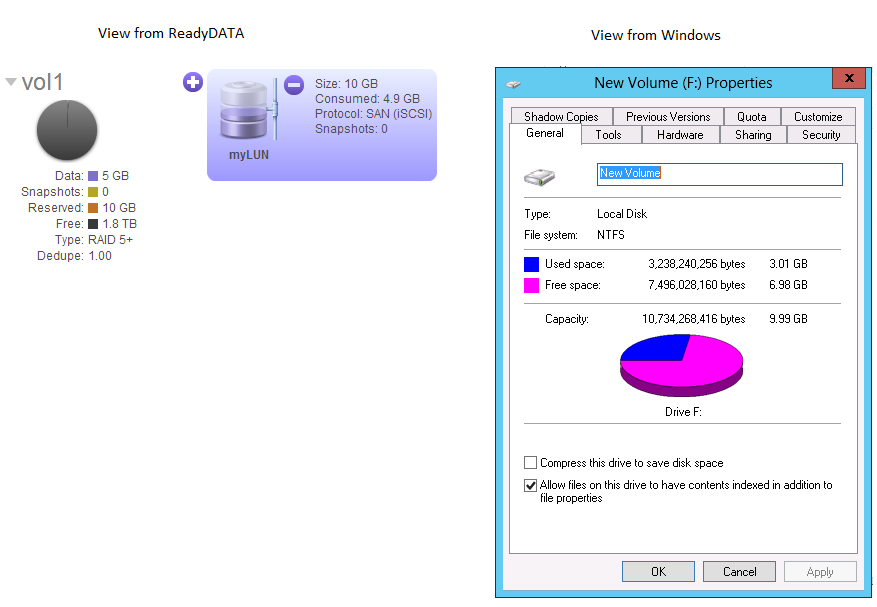
Notice the discrepancy between what Windows reports (~3GB used) vs what the ReadyDATA reports (~5GB used)? Who is right and who is wrong?
The answer is that both are technically right. When files are deleted on the Windows side, Windows is only removing the pointers to the files and marking that space as free. That is why the delete operation is so quick. As far as the ReadyDATA is concerned however, the blocks that were used by those files are still in use. Remember again that the ReadyDATA cannot really see inside the LUN and understand the NTFS file system.
This does not mean that the freed up space cannot be used. Windows will write to those areas when it needs to.
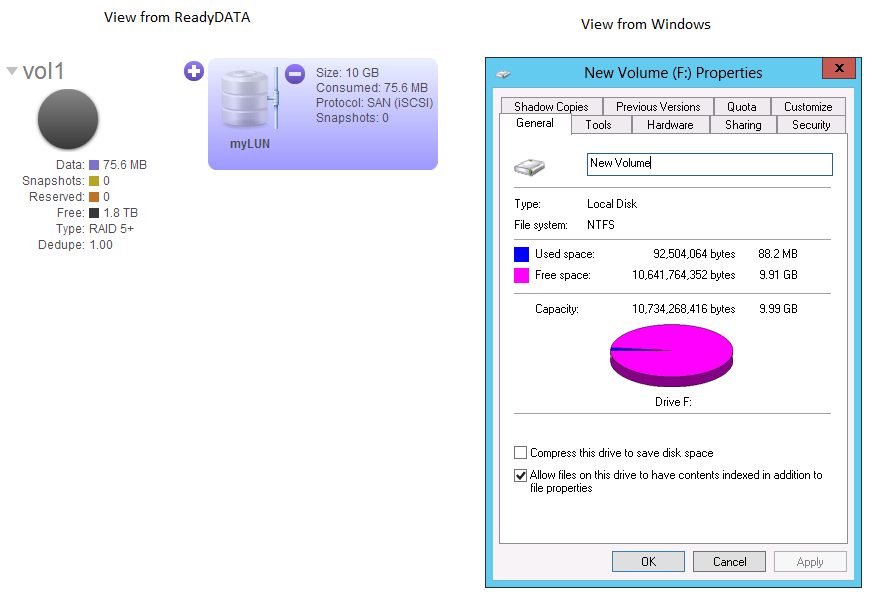
- We will take a 10GB LUN (in this case it is thin provisioned but the same will apply for thick provisioned). It has been quick formatted by Windows and no data has yet been put inside so that the LUN is in this condition:
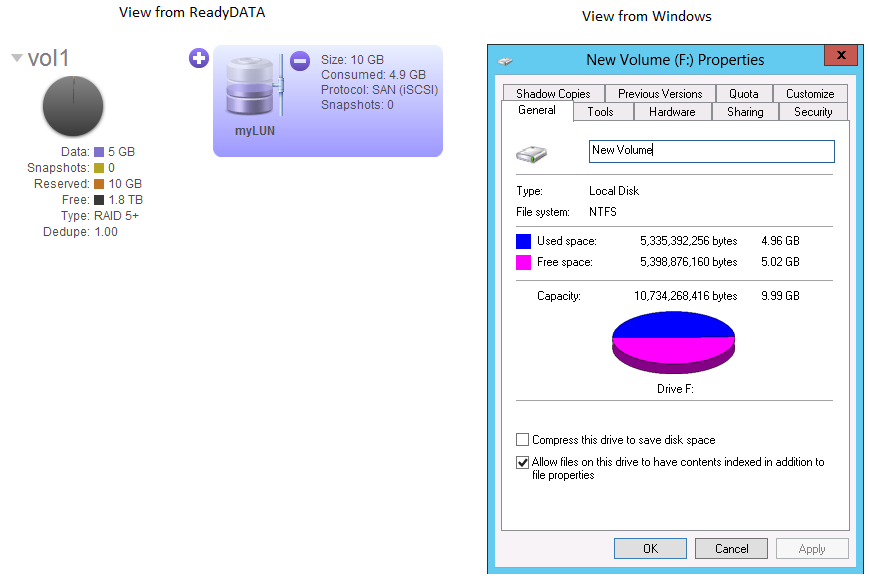
- Next, we write about 5GB of data to the LUN from Windows, so that we get this:
- Next, we delete 2GB of data from the Windows side, so that we now have this: