

To map the USB device to a Windows network drive:
1. Click link below and download Readyshare Connect to your computer.
http://www.downloads.netgear.com/files/ReadyShareConnect.exe
2. Launch readyshareconnect.exe.
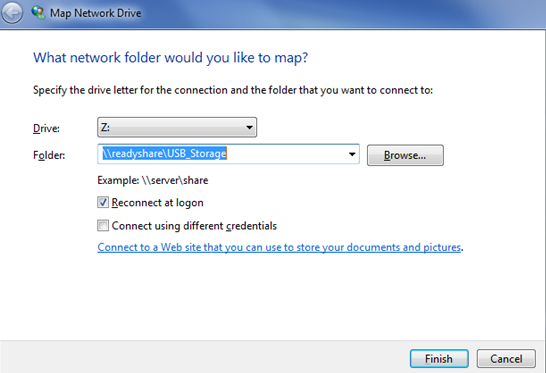
3. Select the drive letter to map to the network folder.
4. (Optional) If you want to connect to the USB drive as a different user, select the Connect using different credentials check box.
a. Type the user name and password.
b. Click the OK button.
5. Click the Finish button.
The USB drive is mapped to the drive letter that you specified.
Last Updated:07/07/2025
|
Article ID: 24063