

This article will help fix the problem regarding the error message WPS process is in progress, when trying to save/apply changes for Wireless Settings.
Symptoms:
- When trying to save/apply changes for Wireless Settings, it fails with the error message WPS process is in progress.
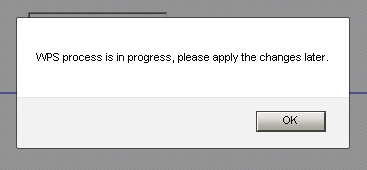
- Unable to get rid of the pop-up message even after disabling WPS feature using the WPS wizard.
- The WPS LED on the router was blinking when you clicked on the Apply button in Wireless Setting.
To resolve the WPS error message issue:
Press and hold the WPS button on the router for 30 seconds, or until the WPS LED becomes steady, then click Apply under Wireless Setting.
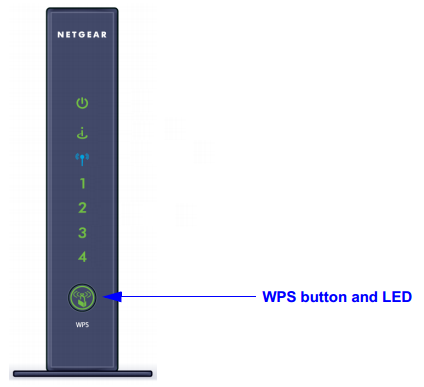
Note: The location of the WPS button on other NETGEAR routers may differ from the image above, but it will normally be marked with this symbol:  .
.
Other information:
- When the WPS button is pressed, first the LED blinks on and off continuously and blinks fast, then the LED becomes steady.
- While saving/applying Wireless Settings, Wi-Fi and WPS LEDs blink on and off, and will become steady once settings are successfully saved/applied.
- If you save/apply Wireless Settings with SSID broadcast disabled, the following message will appear: WPS requires SSID broadcasting in order to work. If you make this change WPS will become inaccessible, Do you want to continue?.
Last Updated:07/07/2025
|
Article ID: 23700