

To configure the local user database settings:
1. Select System > Settings > Security.
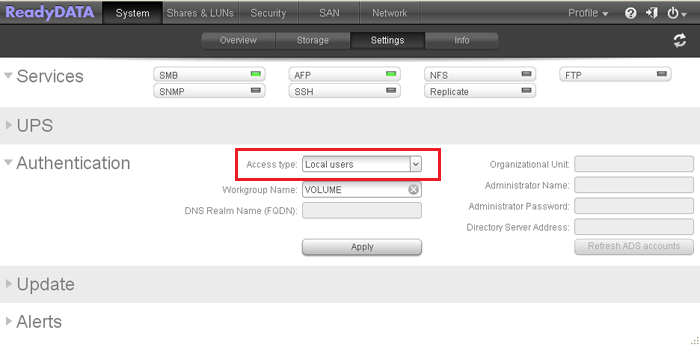
2. From the Access type drop-down list, select Local users.
Except for the Workgroup Name field, all fields are dimmed. The following figure shows only the upper part of the Settings screen with the local database settings:
3. (Optional) Enter a name for the workgroup.
You can keep the default name of VOLUME.
4. Click Apply.
Last Updated:07/07/2025
|
Article ID: 23552