

To configure an Ethernet interface:
1. Click Network.
The Network screen displays:
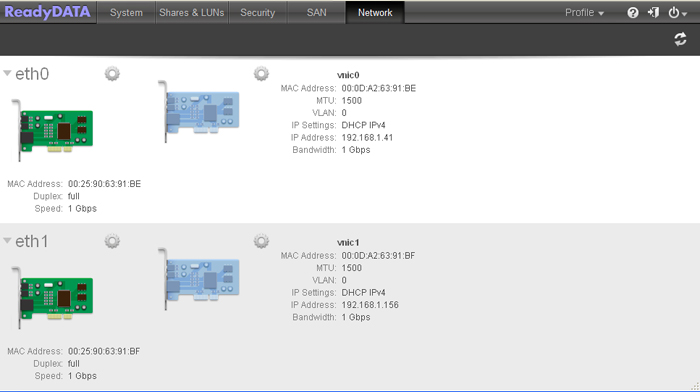
2. Click the gear icon to the right of an Ethernet interface.
A pop-up menu displays (see the figure in Step 3).
3. Select Properties.
The Ethernet Properties screen displays for the selected interface:


4. Configure the settings as explained in the following table:
|
Item |
Description |
|
MTU |
Enter the MTU in bytes. The default setting is 1500 bytes. |
|
Speed (Mbps) |
Specify the interface speed. Because this setting does not determine the link speed, you can specify any setting between 1 Mbps and the maximum speed that is supported by the interface (either 1,000 Mbps or 10,000 Mbps). |
|
Duplex |
Select the duplex method from the drop-down list:
|
5. Click Apply.
Last Updated:07/07/2025
|
Article ID: 23474