

WARNING: Resetting the ReadyNAS to factory defaults deletes not only the configuration but also all stored data. Back up the stored data if you intend to use it again.
To reset the ReadyNAS to factory defaults:
1. Select System > Settings > Update.
2. Click the Perform Factory Default button.
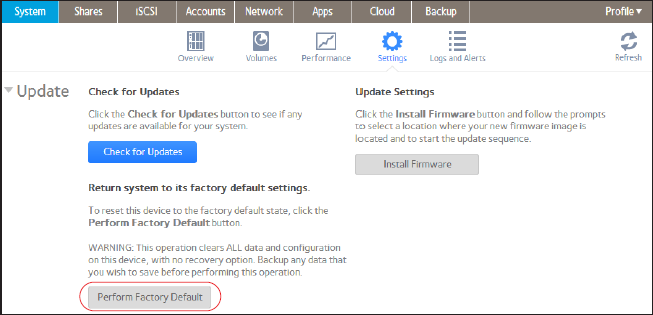
The Perform Factory Default pop-up screen displays.
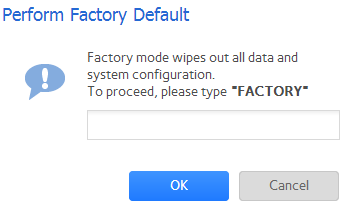
3. Type FACTORY (all capital letters) in the field.
4. Click the OK button.
The process of resetting your system to its factory default settings begins. If you enabled email alerts, the ReadyNAS sends a message when the factory defaults are restored.
This article applies to the following ReadyNAS and EDA storage system models:
-
ReadyNAS 102
-
ReadyNAS 104
-
ReadyNAS 312
-
ReadyNAS 314
-
ReadyNAS 316
-
ReadyNAS 516
-
ReadyNAS 2120
-
ReadyNAS 3220
-
ReadyNAS 4220
-
EDA 500
Last Updated:07/07/2025
|
Article ID: 23114