

iTunes Streaming Server enables iTunes clients to stream media files straight from your ReadyNAS system. The ReadyNAS supports the following iTunes formats:
- Audio. mp3, m4a, m4p, wav, aif
- Video. m4v, mov, mp4
- Playlist. m3u, wpl
To enable the iTunes Streaming Server:
- Select System > Settings > Services.
- Click the iTunes button.
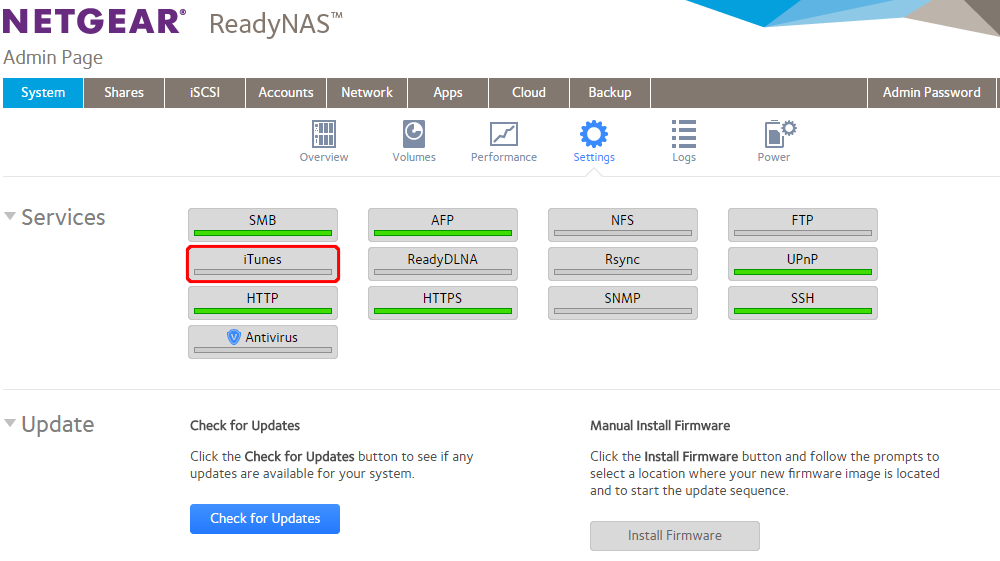
A pop-up screen displays.
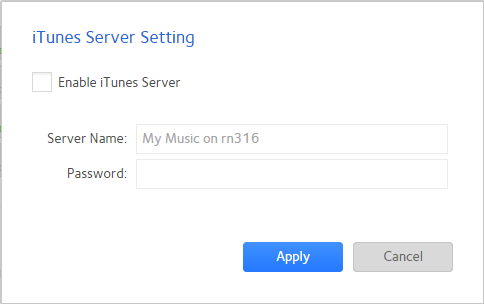
- Configure the iTunes server settings as explained in the following table:
|
Item |
Description |
|
Enable iTunes Server |
Select the check box to enable the iTunes server. Clear the check box to disable the iTunes server. |
|
Server Name |
Enter a name that your ReadyNAS will use to advertise itself to your iTunes clients.
|
|
Password |
Enter a password to limit access to your ReadyNAS iTunes server. |
- Click the Apply button.
Your changes are saved.
To add shares to iTunes streaming server,
- Select Shares > Shares, select the gear on the share you want to enable and click Settings.
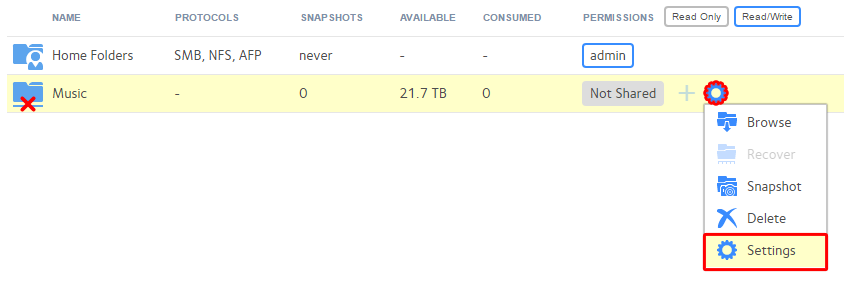
- Click Network Access > iTunes
- Toggle off to on, then click OK/Apply to add the share to iTunes streaming server.
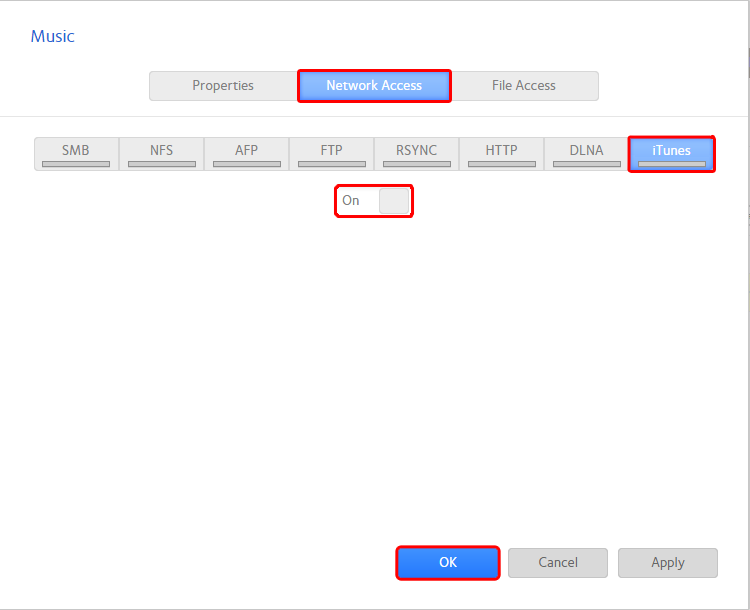
Your changes are saved.
Last Updated:07/07/2025
|
Article ID: 23071