

Your ReadyNAS system comes with free antivirus software that provides real-time virus scans using signature and heuristic algorithms. The antivirus software helps protect your system from viruses, malware, worms, and Trojans.
The antivirus software scans new files as they are written over the SMB (CIFS) protocol. It does not scan existing files or files transferred over other protocols.
Enabling the antivirus software is optional.
To enable the free antivirus software:
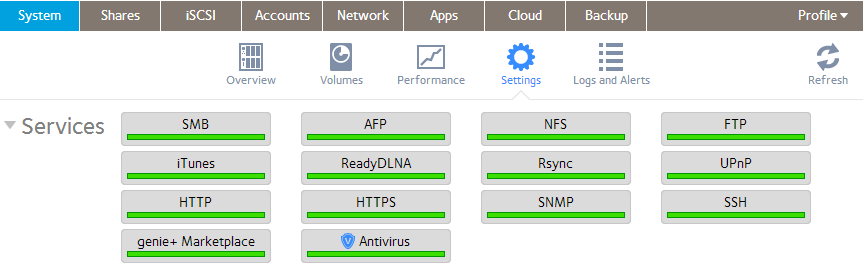
1. Select System > Settings > Services.
2. Click the Antivirus button.
3. In the pop-up screen that displays, select the Enable real-time antivirus scanning check box.
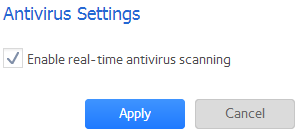
4. Click the Apply button.
The indicator on the Antivirus button turns green and the antivirus software is enabled.
Last Updated:07/07/2025
|
Article ID: 23068