

You must access the inside of your ReadyDATA 5200, EDA2000, or EDA4000 to replace a fan or battery.
To access the system interior:
1. Grasp the two handles on either side and pull the unit straight out until it locks.
The unit is locked when you hear a click sound.
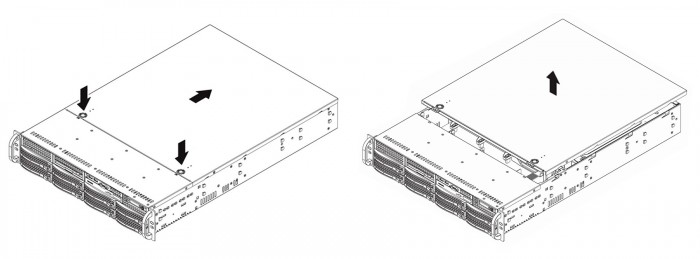
2. Press the two buttons on the top of the chassis to release the top cover.
3. Lift the top cover from the chassis to gain full access to the inside of the system.
WARNING: Ensure that the chassis cover is in place when the system is operating to allow proper cooling. Out-of-warranty damage to the system can occur if you do not strictly follow this practice.
Last Updated:07/07/2025
|
Article ID: 23037