

If you added your system to ReadyCLOUD, you and your ReadyCLOUD users can use the ReadyCLOUD portal to access your ReadyNAS from anywhere that has an Internet connection.
For more information about joining ReadyCLOUD, see the How can I add my ReadyNAS OS 6 storage system to my ReadyCLOUD account?
For more information about adding ReadyCLOUD users, see the How do I add ReadyCLOUD users to my ReadyNAS OS 6 storage system?
To access your data and manage your ReadyNAS using ReadyCLOUD:
1. Open a web browser and visit https://readycloud.netgear.com.

2. From the top menu bar, select Sign In near the top right corner of the screen.
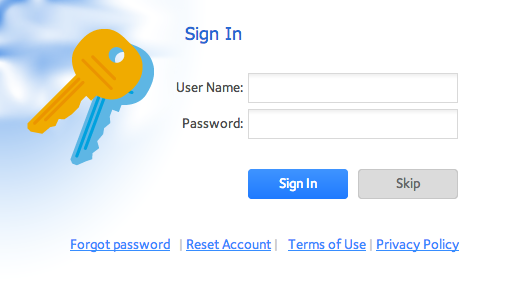
3. In the pop-up screen that displays, enter your ReadyCLOUD account credentials and click the Sign In button.
You are logged in to ReadyCLOUD. You can now use the ReadyCLOUD web interface to access your data and manage any systems that you added to your ReadyCLOUD account.

This article applies to the following ReadyNAS and EDA storage system models:
-
ReadyNAS 102
-
ReadyNAS 104
-
ReadyNAS 312
-
ReadyNAS 314
-
ReadyNAS 316
-
ReadyNAS 516
-
ReadyNAS 2120
-
ReadyNAS 3220
-
ReadyNAS 4220
-
EDA 500