

Use FrontView to configure your ReadyNAS storage system's SNMP settings.
To configure SNMP settings, follow these steps:
- Select System > Alerts from the FrontView main menu.
- Click the SNMP tab.
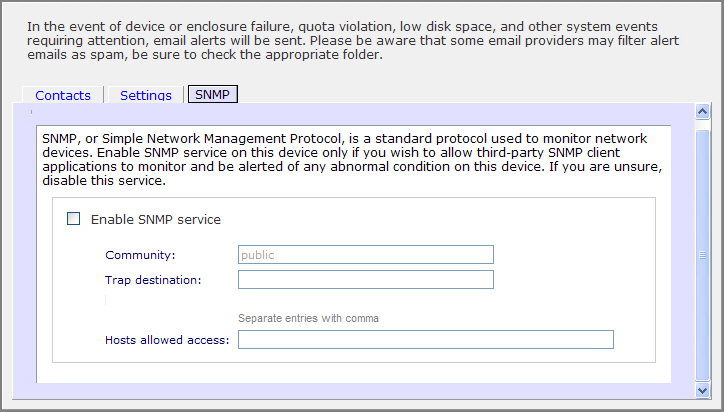
- Select the Enable SNMP service check box.
- (Optional) Configure the Community setting.
The default setting is public. If you have a segregated monitoring scheme, choose private.
- Enter a host name or an IP address in the Trap destination field.
This is where all trap messages are sent. The following system events generate a trap:
- Abnormal power voltage
- Abnormal board enclosure temperature
- Fan failure
- UPS connected
- UPS detected power failure
- RAID disk sync started and finished
- RAID disk added, removed, and failure
- Snapshot invalidated
- (Optional) To limit SNMP access to only a secure list of hosts, enter the hosts in the Hosts allowed access field.
- Click the Apply button.
Your settings are saved. You can import the NETGEAR SNMP MIB to your SNMP client application. The NETGEAR MIB can be obtained from the installation CD included with your system, or downloaded from http://readynas.com/download.
Last Updated:07/07/2025
|
Article ID: 21616