

The CIFS protocol offers a Recycle Bin. This allows for a grace period during which users can retrieve deleted files from the Recycle Bin.
When the Recycling Bin is enabled, when the share is accessed using the CIFS file-sharing protocol, deleted files are placed in the Recycle Bin for a period of time before being permanently deleted. Files that are deleted when the share is accessed using other protocols are deleted immediately.
To enable the Recycle Bin, follow these steps:
- Choose Share > Share Listing from the FrontView main menu.
The Shares on RAID Volumes screen displays.
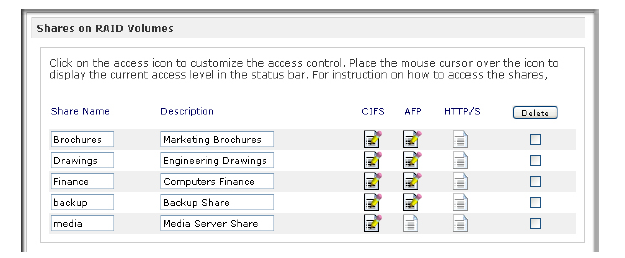
- In the row for the share for which you want to enable the Recycle Bin, click the CIFS access rights icon.
The Share Access Restrictions screen for that share and protocol combination displays. - Scroll down to the Recycle Bin pane.
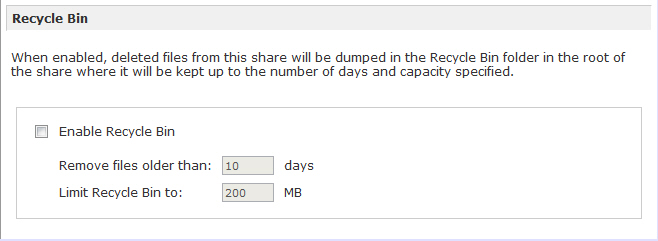
- Select the Enable Recycle Bin check box.
- Enter the maximum number of days to keep files in the Remove files older than field.
Files that are older than the value you specify here are permanently deleted.
- Enter a size limit (in megabytes) for the Recycle Bin in the Limit Recycle Bin to field.
When the Recycle Bin exceeds this limit, files are deleted, beginning with the oldest first, until the Recycle Bin no longer exceeds this limit.
- Click the Apply button.
FrontView creates a Recycle Bin folder in this share.
Last Updated:07/07/2025
|
Article ID: 21254