

How to update firmware on NETGEAR routers using MAC OS X.
Go to the NETGEAR Support site at this link.
Enter the device model number in the search box.
Proceed to product page.
Download the latest firmware for the router model. It would be saved on MAC under Downloads.
Updating router firmware using SAFARI browser:
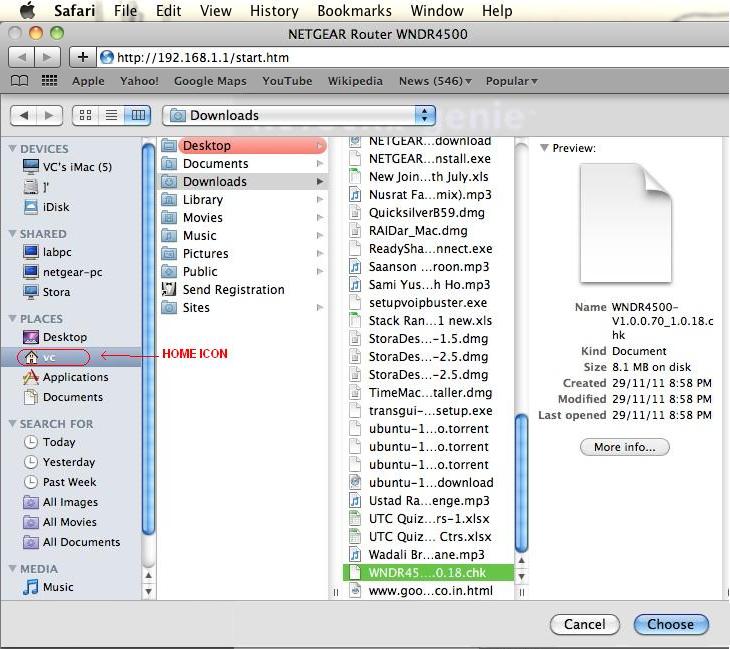
Using Safari access the GUI of the router > Under Maintainance > Click "Router Upgrade" > Click Browse > Click Home Icon on Mac
> Downloads > select the firmware_file > Click Choose, then Upload to start the firmware update...
Updating router firmware using NETGEAR genie:
If the NETGEAR genie admin utility is installed on the Mac and configured to manage the router,
> Go to Advanced > Administration > Router Update > Click Browse > Click Home Icon on Mac > Downloads > select the firmware_file > Click Choose, then Upload to start the firmware update...