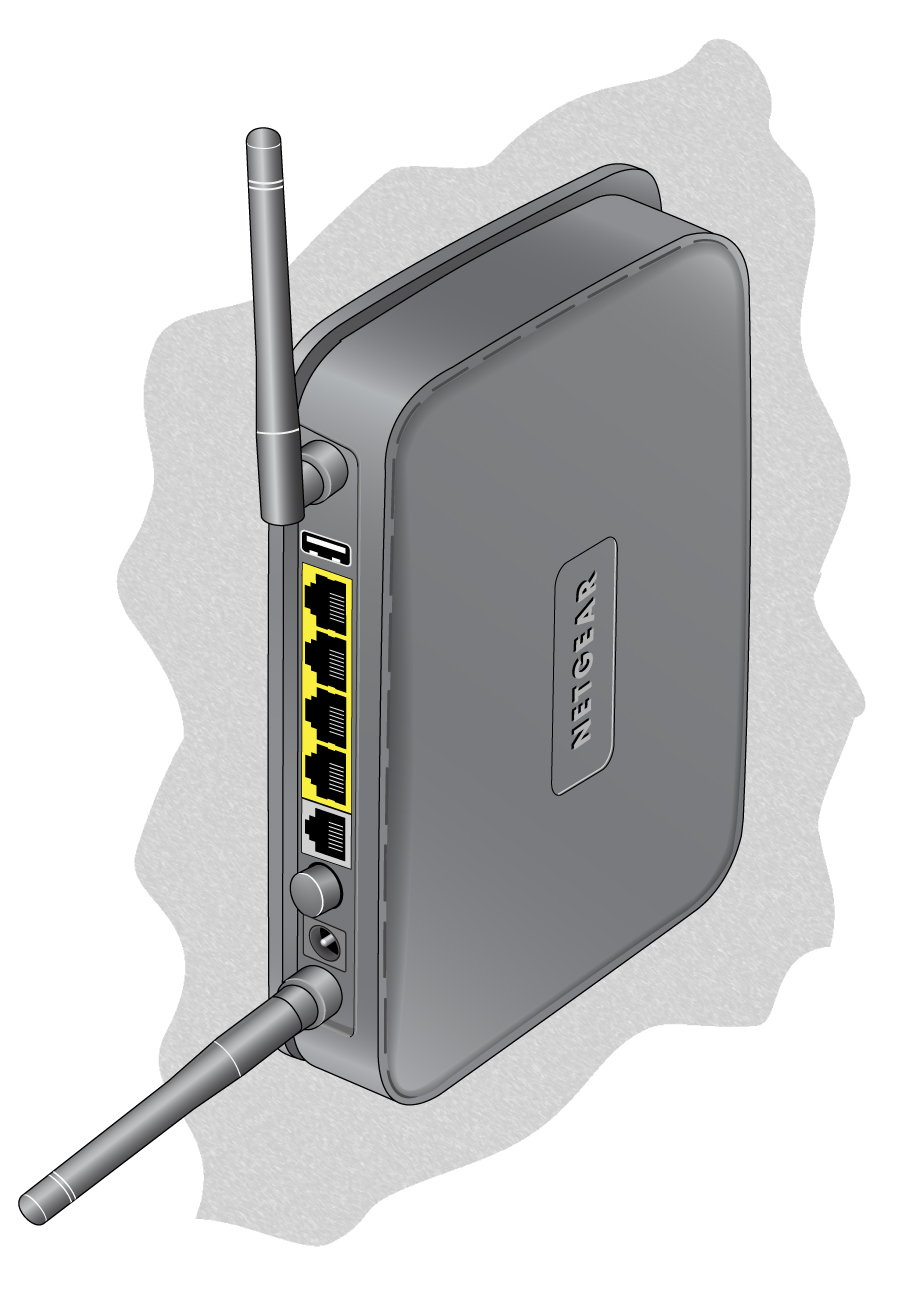
Most NETGEAR routers include wall anchor slots on the bottom of the router so that you can mount the router on a wall. This article describes how to wall mount a typical NETGEAR router.
Choose a location
A clear line of sight from your router to your devices provides the best WiFi signal. The signal strength decreases as it passes through walls and other objects; some objects, like metal cabinets, might block the signal entirely. Consider this as you experiment with different locations and orientations.
For maximum coverage, place your router in a central position in your home. Install the router as close to the center of the room as possible, away from the corners of the room. We recommend that you avoid placing your router in rooms like a basement, attic, or closet, and avoid other devices that might cause interference, like microwave ovens or baby monitors.
Mount your router
The following illustrations depict an older NETGEAR router; your router might look different, but the wall mounting process is similar for all models.
To wall mount your NETGEAR router:
- Purchase wall anchors that use pan head Phillips screws:
- #6 screws, 1 in. long (U.S.)
- 3.5 mm diameter screws, 20 mm long (Metric)
- Measure the distance between the wall mount holes on the bottom of your router.
- Using the measurement that you took in Step 2, mark your wall and drill holes for the wall anchors.

- Insert the wall anchors into the holes.
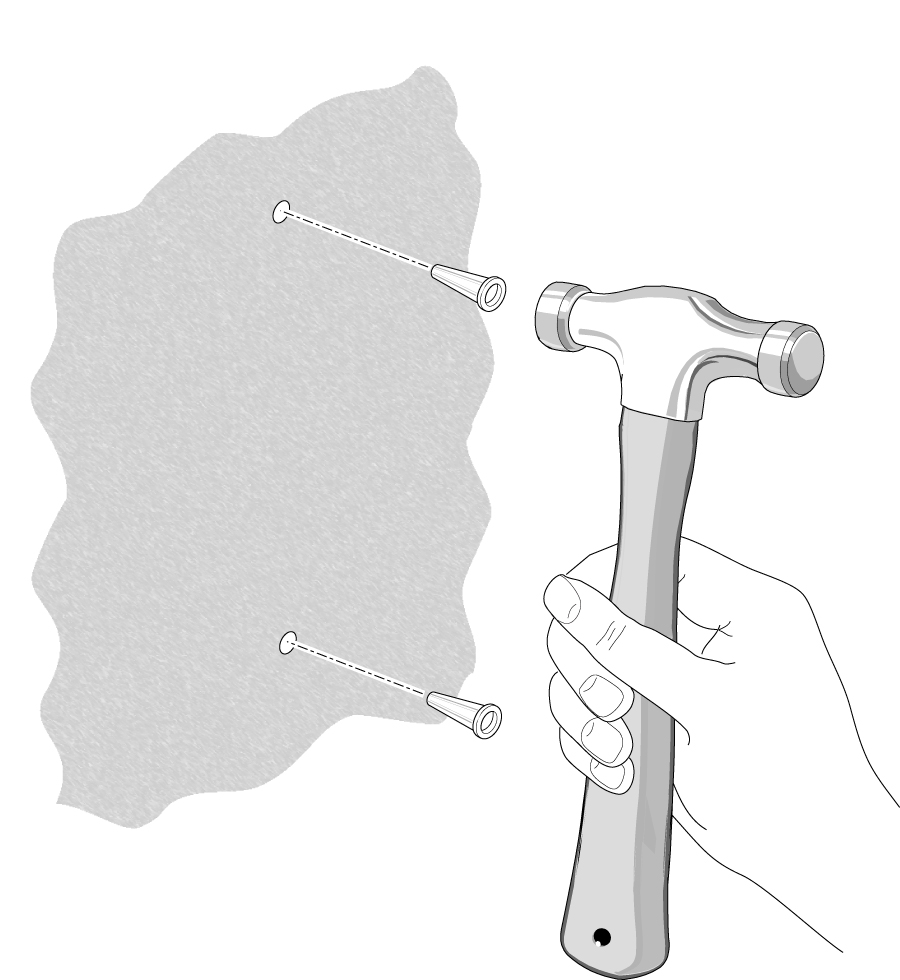
- Insert the screws into the wall anchors, leaving 3/16 in. (0.5 cm) of each screw exposed.
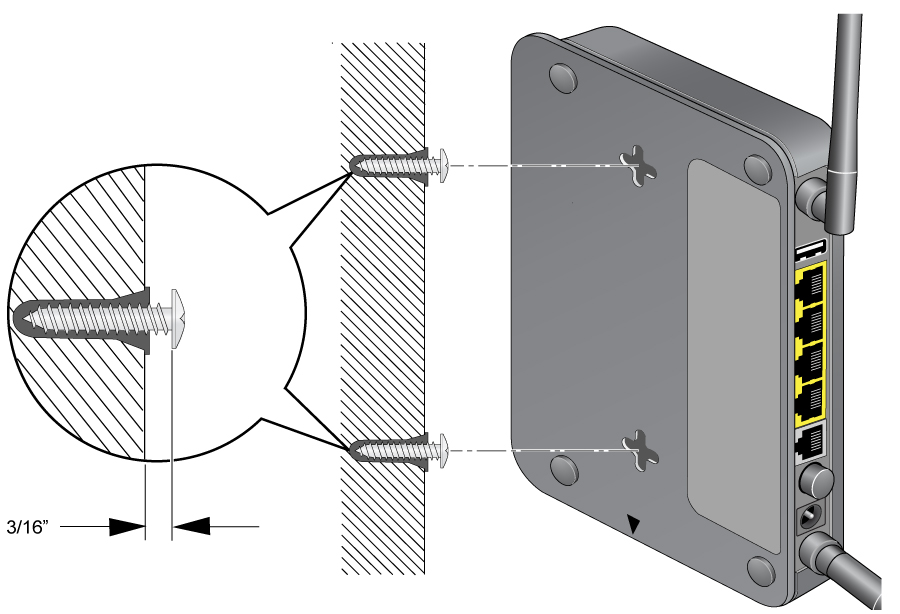
- Place the router onto the screws and slide it in the direction of the wall mount slots to lock it into place.
- If your router has adjustable antennas, adjust their position to suit the layout of your home.
Note: Router antennas typically project a WiFi signal perpendicular to where they are pointing; an antenna pointing vertically projects a WiFi signal horizontally, while an antenna pointing horizontally projects a WiFi signal vertically. A single-story home might benefit from a fully vertical antenna position, as WiFi coverage isn’t needed above or below the router. A multi-story home, however, might benefit from a mixture of vertical, angled, and horizontal antenna positions to provide coverage in all directions.