How to connect to the Internet using different network solutions.
This document provides information in the form of Network diagrams on how to obtain connection to the Internet using different product categories advise is given on the way IP address schemes should be used formally (indipendently from the IP numbers actually used).
The description is also extended to the connectivity solutions using VPN client and VPN box-to-box.
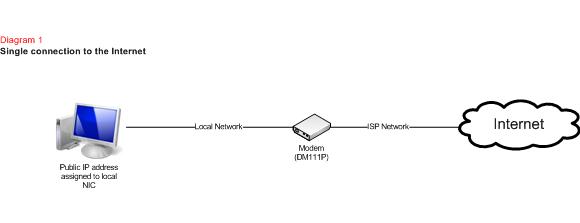
Diagram 1 - Single connection to the Internet
Diagram 2 - Multiple connections to the Internet
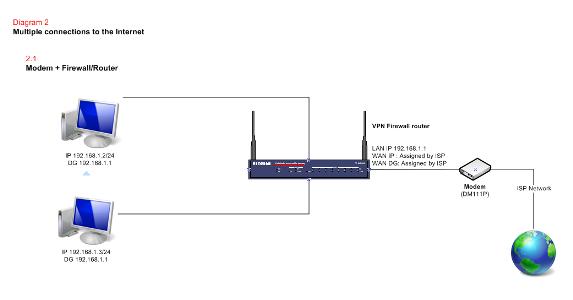
- 2.1 Modem + Firewall/Router
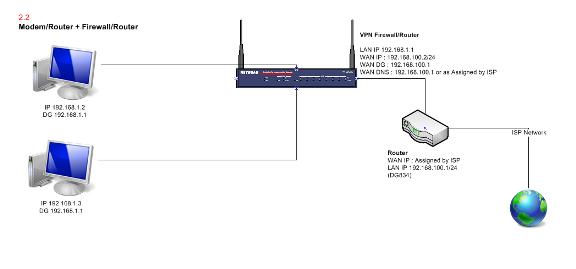
- 2.2 Modem/Router + Firewall/Router
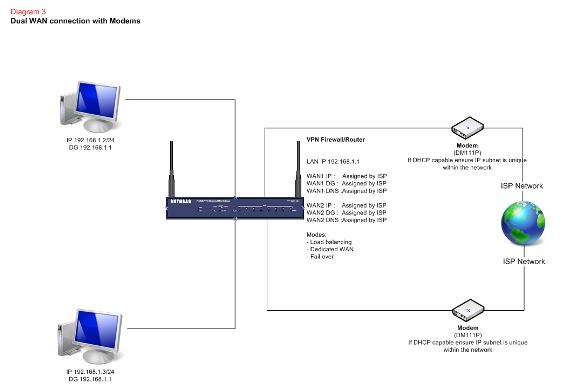
Diagram 3 - Dual WAN connection with Modems
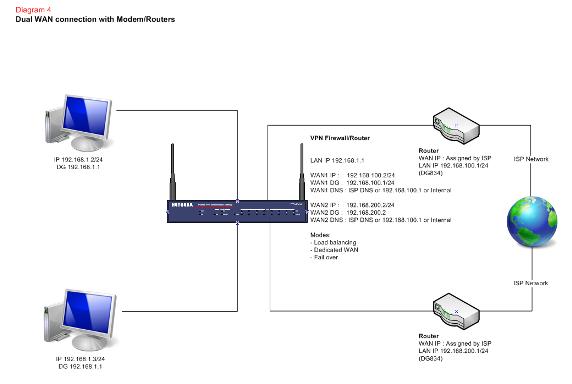
Diagram 4 - Dual WAN connection with Modem/Routers
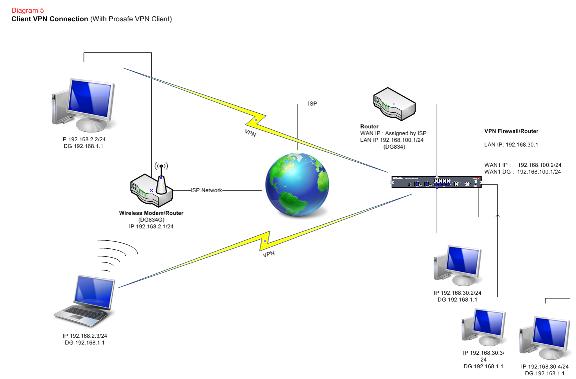
Diagram 5 - Client VPN connection
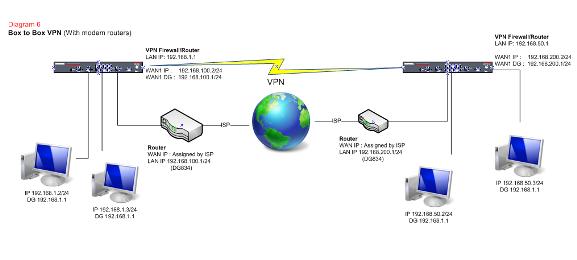
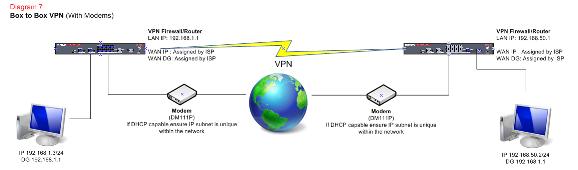
Diagram 6 – Box to Box VPN (With Modems)
Diagram 7 – Box to Box VPN (With Modem/Routers)
- Diagram 1 shows what occurs when using a Modem, that is, only a single connection to the Internet is possible.
The following diagrams show what devices need to be used to obtain an Internet connection form multiple devices. - Specifically the Diagram 2.1 diagram shows how to connect to the Internet using a Firewall/Router and a Modem (using NAT).
- Diagram 2.2 shows instead a possible IP scheme to use when connecting a Firewall/Router to an existing Router (using double-NAT).
- Diagram 3 illustrates how a Firewall/Router with dual WAN interface should be connected to the Internet when using Modems.
- Diagram 4 shows how a dual WAN interface Firewall/Router can connect if access to the Internet is obtained using two existing Routers.
It is very important to note the IP schemes used in all the networks involved :
- The LAN of the Firewall/Router
- The LAN to WAN networks between the two Routers and the Firewall/Router as each network should use a different one.
- Diagram 5, 6 and 7 explain a possible configurations for a VPN client-to-box and VPN box-to-box configuration. (As above it is very important to note the IP schemes used)