

In addition to eSIMs, your Nighthawk 5G M7 supports Nano SIM cards. You can install a SIM card in the provided tray on the device.
NOTE: If you use a physical SIM card and then change your mobile data provider or plan, you might need to replace the SIM card that you previously installed.
To install a physical SIM card:
- Locate the SIM card tray on the device.
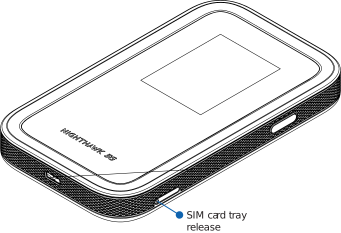
- Using the included release tool, press into the hole on the SIM card tray to eject the tray.
- If a SIM card is already installed in the tray, remove the SIM card.
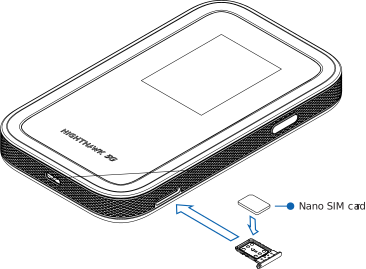
- Insert the replacement SIM card in the tray.
- Insert the SIM card tray back into its slot on the device.
Last Updated:01/27/2026
|
Article ID: 000070498