

An Ethernet backhaul connection enables you to create a direct connection between your router and satellites. As a result, your router and satellites can communicate without using WiFi bandwidth. For more information, see What is backhaul?
To create a wired Ethernet backhaul connection, use an Ethernet cable to connect the Ethernet port of your mesh router to the Ethernet port of your mesh satellite. Depending on the type of Nighthawk Mesh system and the number of satellites that you use, you might have multiple options for setting up a star topology or daisy chain topology connection. For more information, see What is daisy chain and how does it work with my Orbi WiFi System or Nighthawk Mesh System?
Star topology
The following image shows how to connect your mesh satellites to your mesh router using star topology to create an Ethernet backhaul connection.
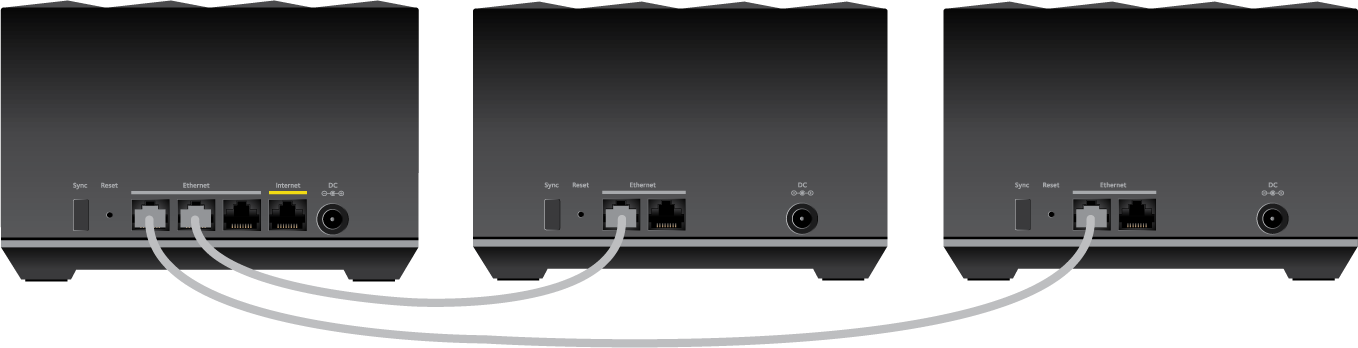
Some Nighthawk Mesh systems only have a single Ethernet port for wired Ethernet backhaul connections. On these models, only one of the two satellites can be directly connected to your router with a wired Ethernet backhaul connection.
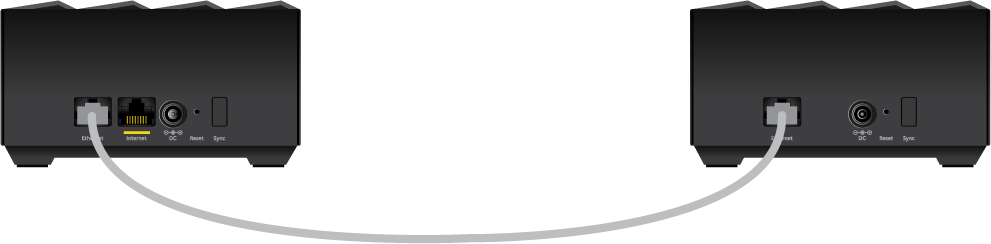
You can also use an Ethernet switch to connect your mesh satellites to your mesh router. If you have a Nighthawk Mesh system that only has a single Ethernet port on each router and satellite, an Ethernet switch provides additional ports to set up wired Ethernet backhaul for all your satellites.
The following image shows how to connect your mesh satellites and mesh router to an Ethernet switch using star topology to create an Ethernet backhaul connection.

Daisy chain topology
The following image shows how to connect your mesh satellites to your mesh router using daisy chain topology to create an Ethernet backhaul connection.
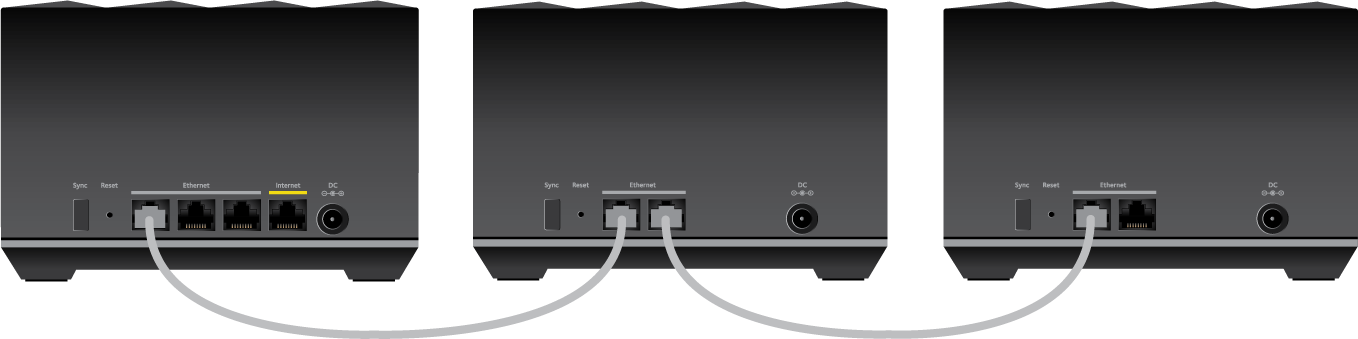
For more information:
- How do I install my NETGEAR Nighthawk Mesh WiFi 6 products?
- Where should I place the Mesh WiFi satellite of my Nighthawk Mesh WiFi 6 and Tri-band Mesh WiFi 6 products?
- What is EasyMesh and how does it work with my NETGEAR Mesh WiFi 6 System?