Enterprise AV Home WiFi Mobile Wifi Support Shop Deals
6 people found this helpful in last 30 days

The serial number assigned to your NETGEAR home product is usually located on the product’s back, bottom, or side panel.

For NETGEAR business products, see How do I find my NETGEAR business product’s serial number?

For help locating your product’s serial number, see the following examples:

Routers
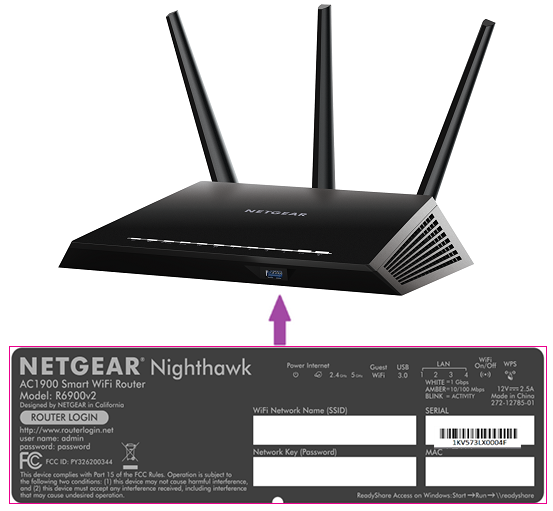
A purple arrow pointing to the product label on the bottom of a Nighthawk router. The product label contains the serial number.


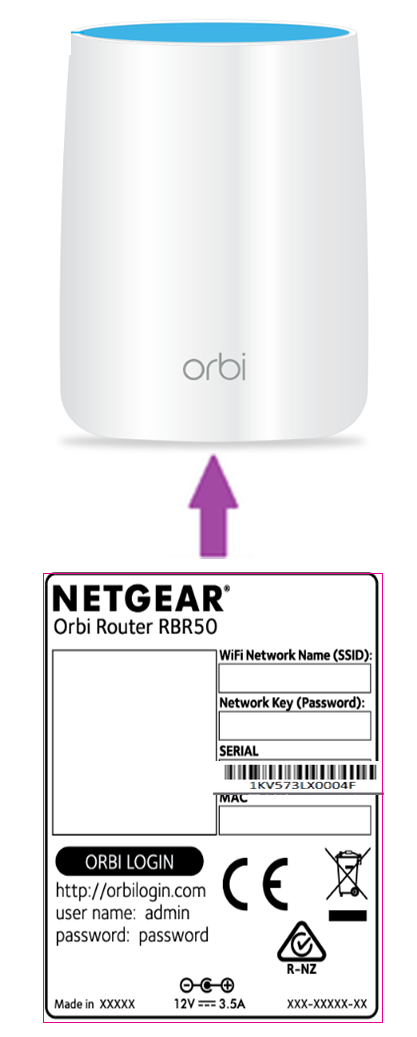
A purple arrow pointing to the product label on the bottom of an Orbi router. The product label contains the serial number.


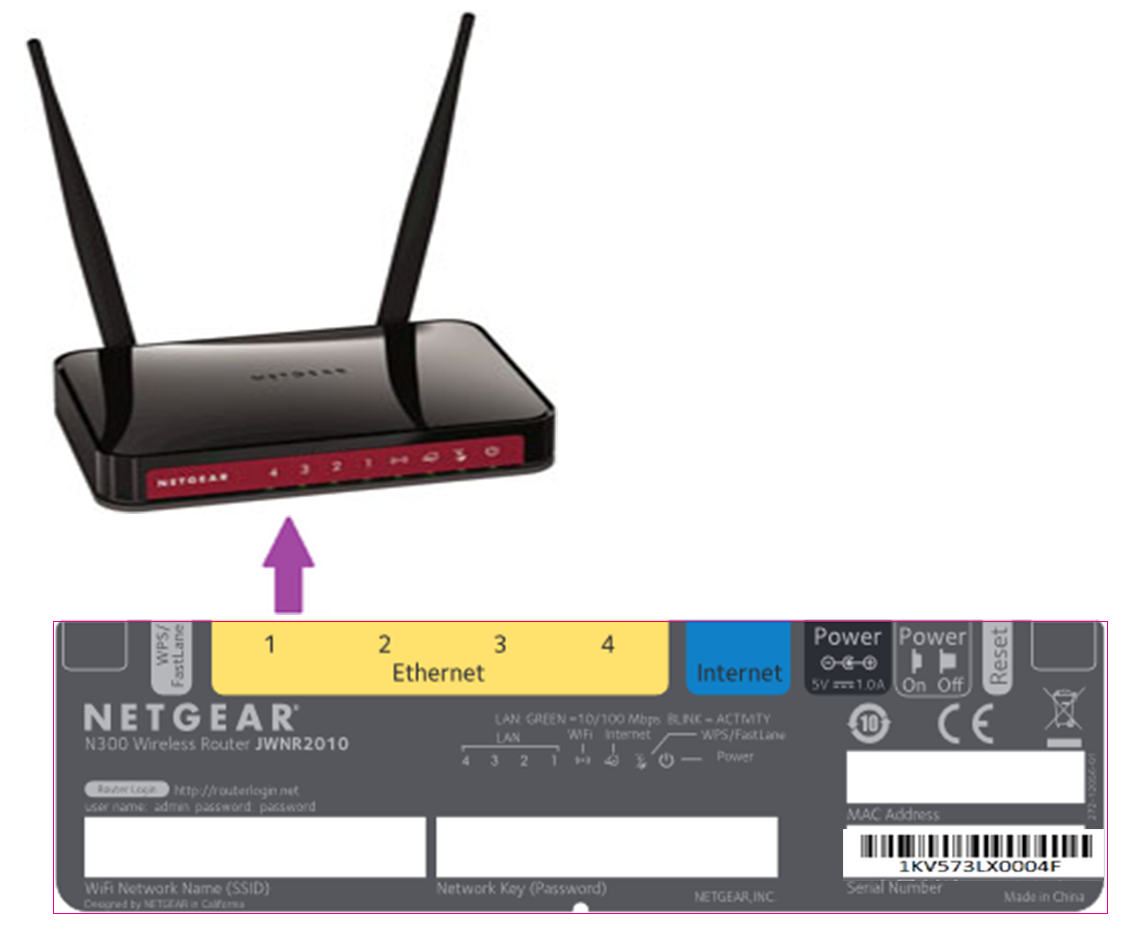
A purple arrow pointing to the product label on the bottom of a NETGEAR wireless N router. The product label contains the serial number.

WiFi Range Extenders

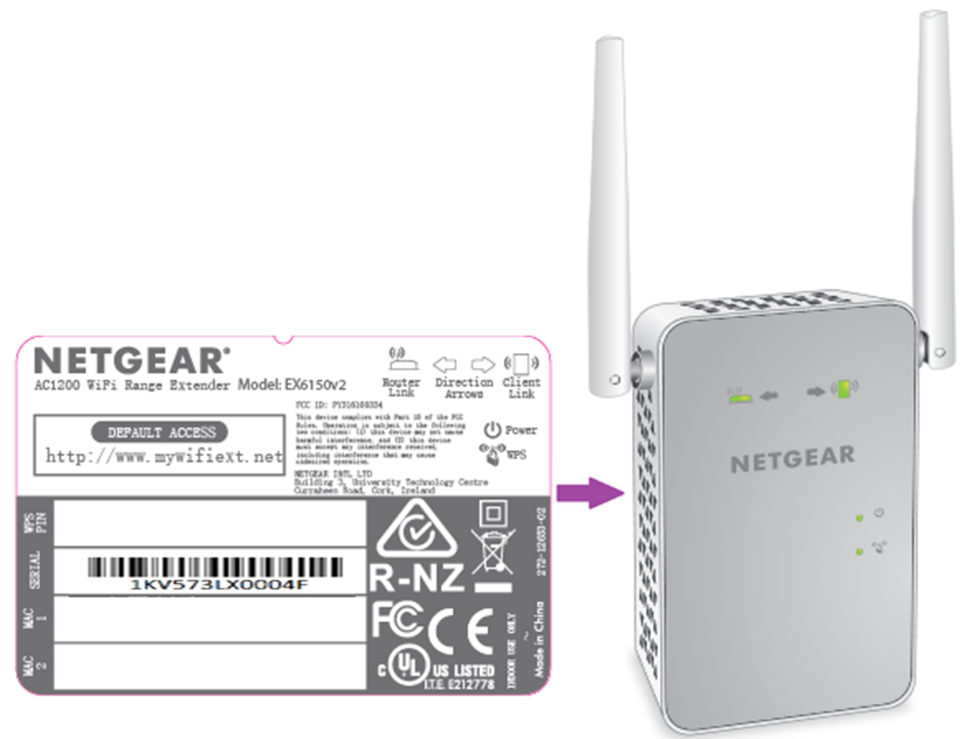
A purple arrow pointing to the product label on the back of a NETGEAR WiFi range extender. The product label contains the serial number.


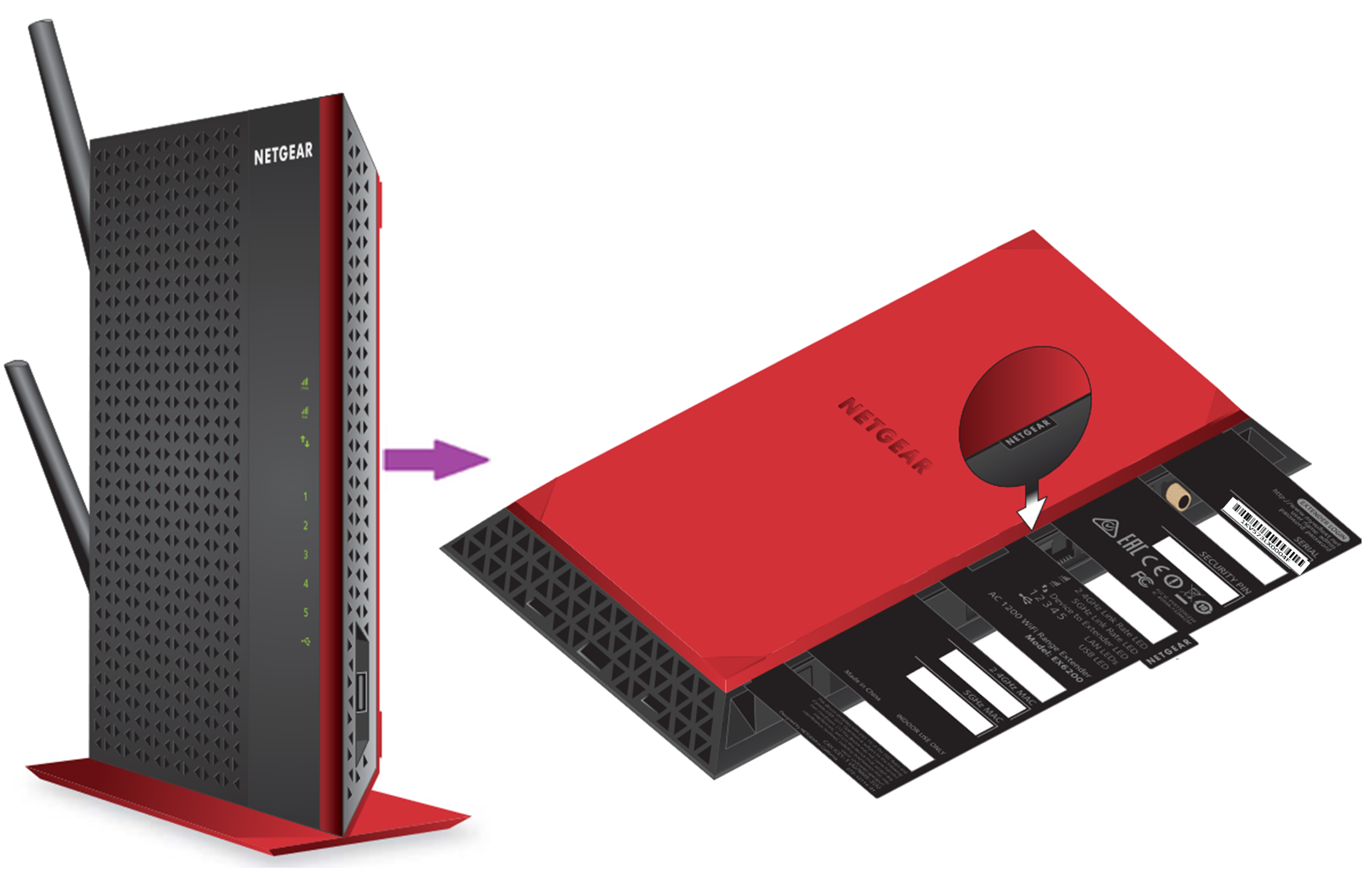
A purple arrow pointing to the product label on the side of a NETGEAR WiFi range extender with the product label tab pulled out. The product label contains the serial number.

WiFi Adapters

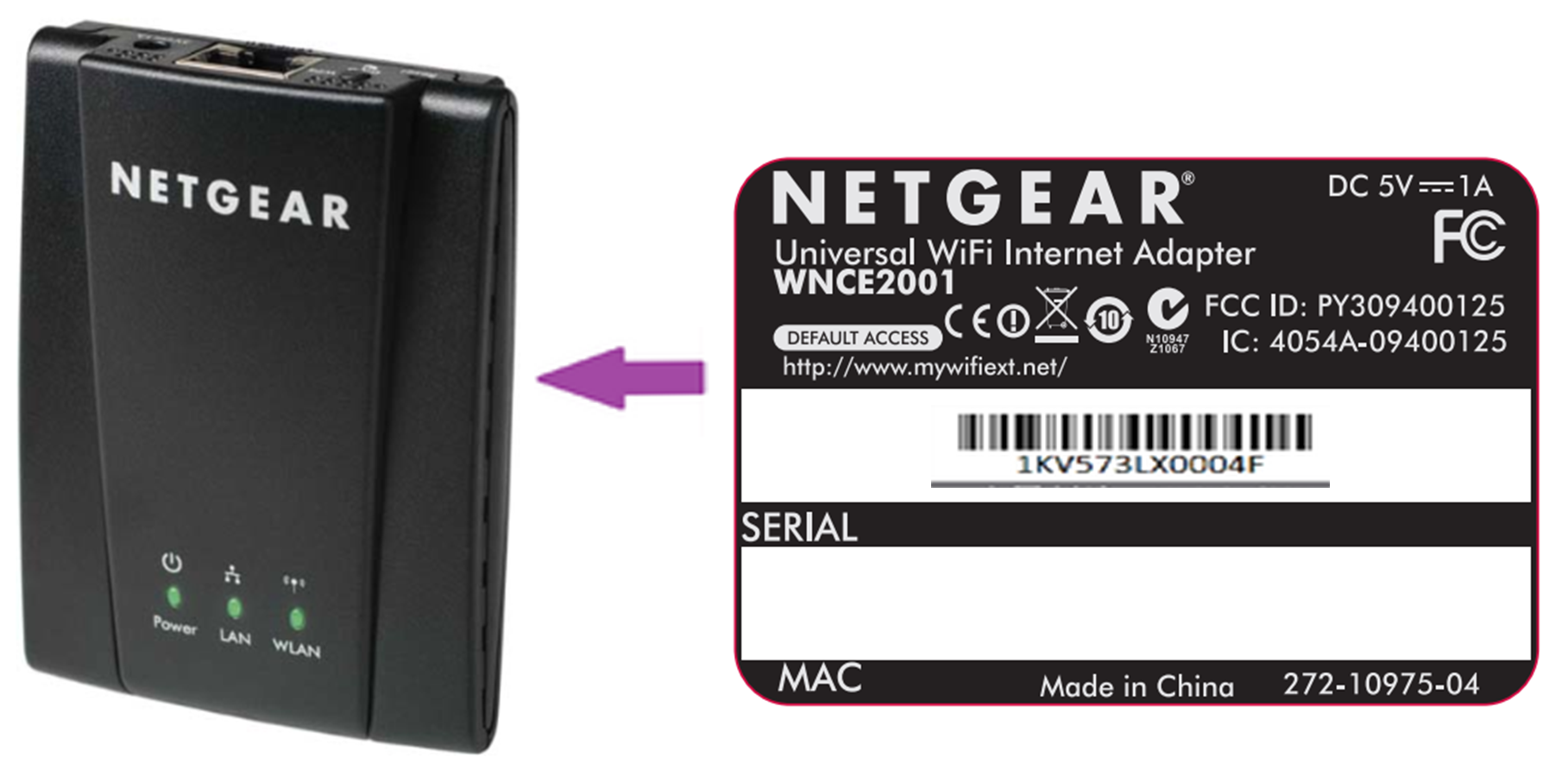
A purple arrow pointing to the product label on the back of a NETGEAR WiFi adapter. The product label contains the serial number.

WiFi Modem Routers

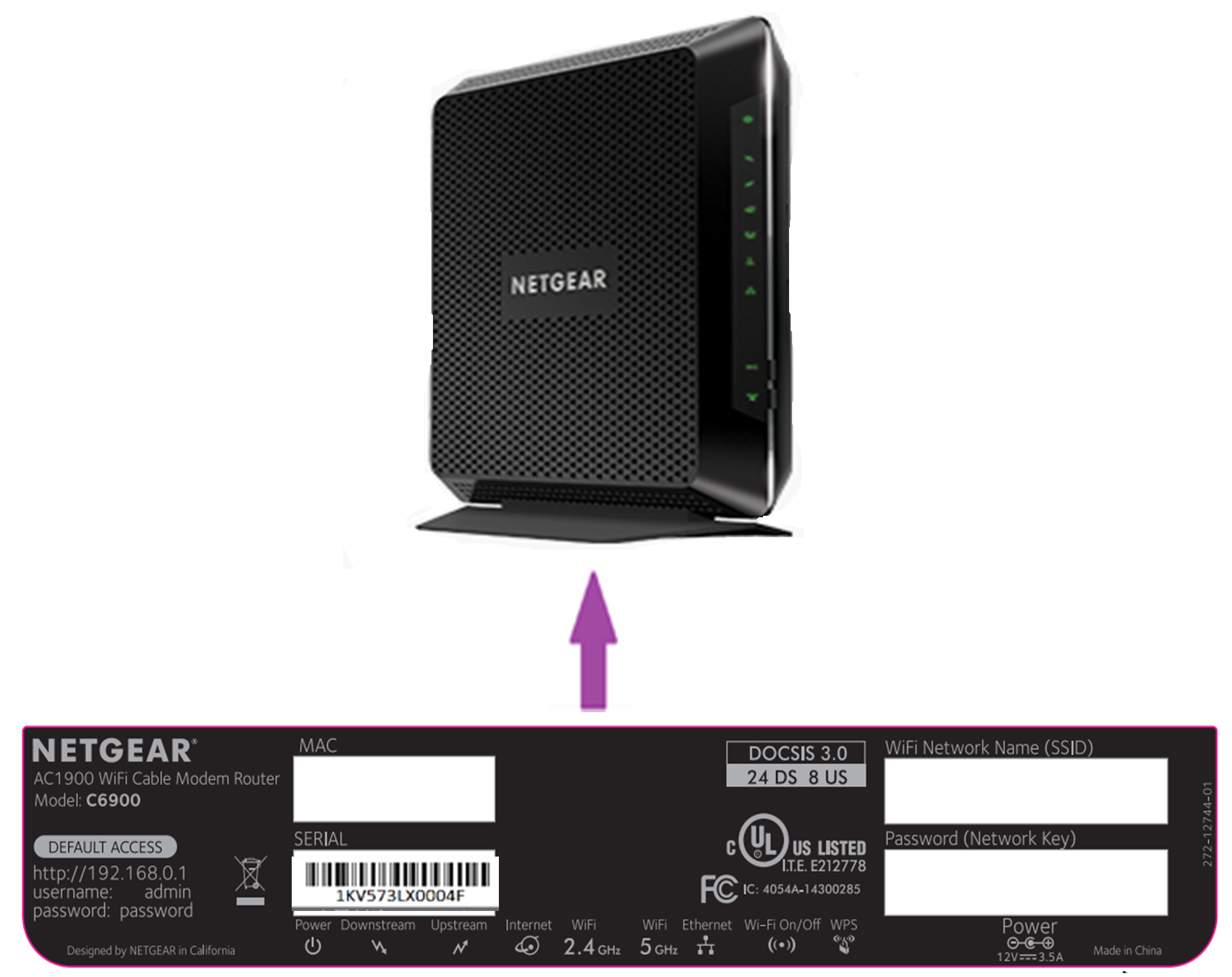
A purple arrow pointing to the product label on the bottom of a NETGEAR cable modem router. The product label contains the serial number.


For more information, visit NETGEAR Support and search for your model.

Last Updated:07/07/2025 | Article ID: 000060283

This article applies to:

Recently Viewed Articles

    Read this article in another language:

    Read this article in another language:

    Our team is here to help!

    Phone
    Chat
    Email