

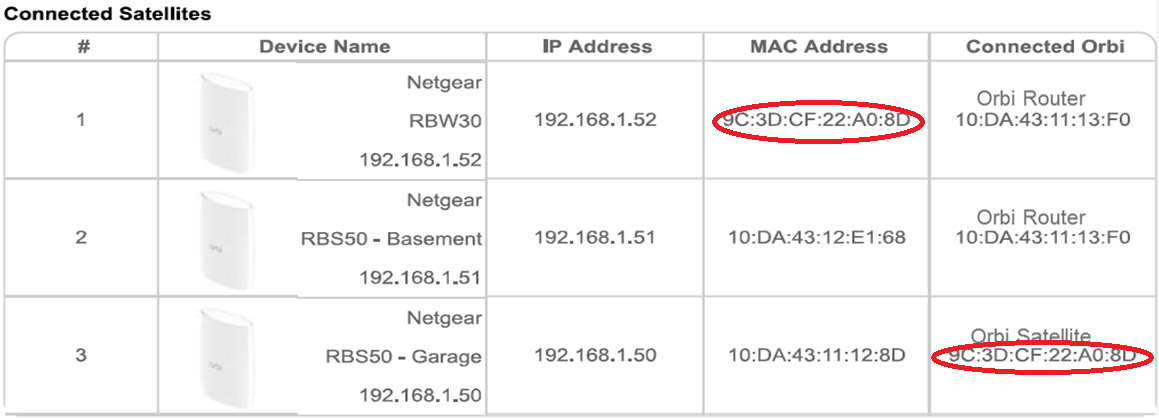
You can enable or disable daisy chain on your Orbi WiFi System. However, when daisy chain is enabled, your Orbi router uses either daisy chain or star topology depending on which set up provides the best WiFi performance for your home. To see if your Orbi system is using daisy chain, log in to the router web interface and view the Attached Devices page.
To see if your Orbi WiFi System is using daisy chain:
- Launch a web browser from a computer or mobile device that is connected to your Orbi network.
- Enter http://orbilogin.com.
A login window displays. - Enter the user name and password.
The user name is admin. The password is the one that you specified the first time that you logged in. The user name and password are case-sensitive.
The BASIC Home page displays. - Select Attached Devices.
The Attached Devices page displays.If your Orbi WiFi System is using daisy chain, your Orbi satellite displays the MAC address of your other Orbi satellite in the Connected Orbi field on the Attached Devices page:
Last Updated:07/07/2025
|
Article ID: 000048459