

The following instructions require a drop ceiling.
To mount your Orbi Pro devices using the ceiling mount:
- Place your Orbi router or satellite on the mount base and attach the router or satellite to the base with the provided screws.
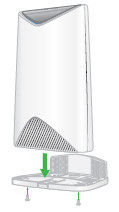
- Attach the mount cover to the mount base.
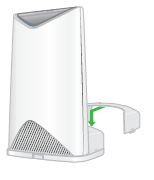
- Attach the T-bracket to the ceiling bracket using the T-bracket screws.
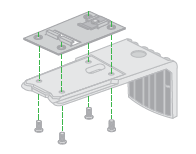
- Loosen the screw so that the locking plate can slide.
- Secure the T-bracket to the T-bar and tighten the screw.
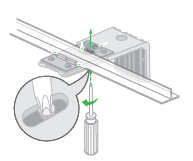
- Slide the mount base into the ceiling bracket.
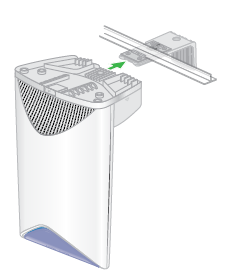
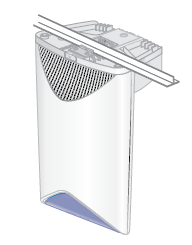
Your Orbi router or satellite is mounted to the ceiling.
Last Updated:07/07/2025
|
Article ID: 000045857