

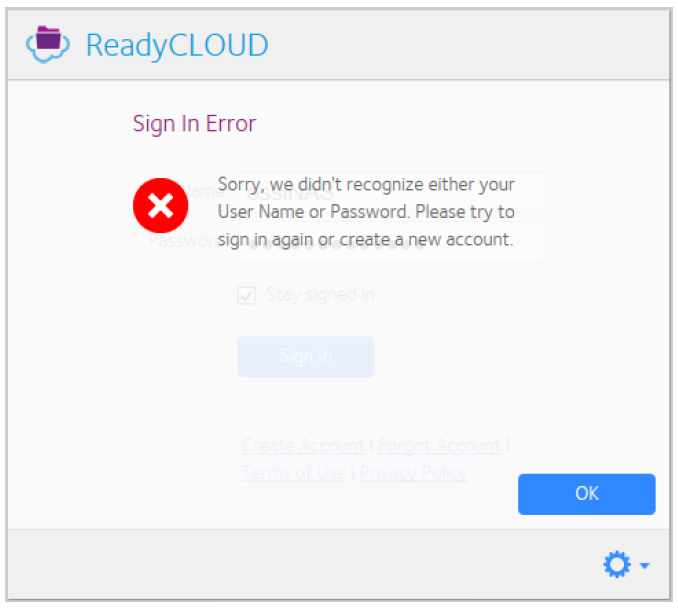
When you sign in to the ReadyCLOUD client for Windows, you may receive the following error message:
"Sign In Error - Sorry, we didn't recognize either your User Name or Password. Please try to sign in again or create a new account."
To resolve this issue:
- Verify that your user name and password are correct by logging in to https://readycloud.netgear.com.
Use the same user name and password that you used to sign in to the ReadyCLOUD client for Windows.
If your user name and password are correct, check to see that the version of the ReadyCLOUD client that you are using is a current version. Older versions of the client are no longer compatible with the current ReadyCLOUD service. - To check the version, click the ReadyCLOUD icon in the system tray.Click the gear icon, and click Settings.
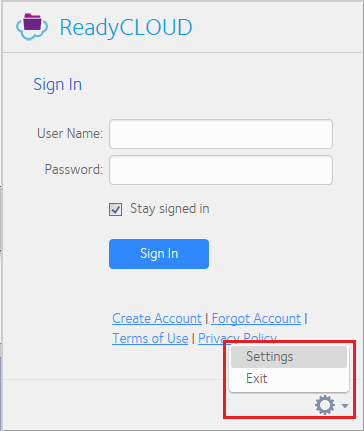
The version displays.
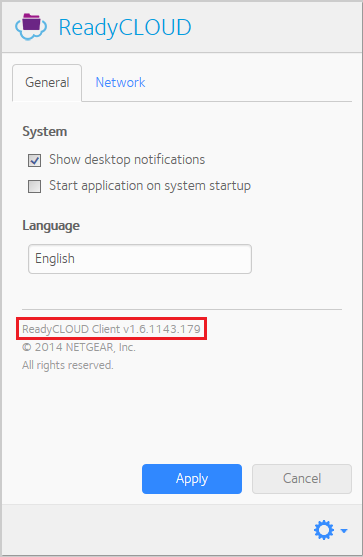
If the version is 1.6.1140.159, or an earlier version, you must manually update to the latest version. - To find and update to the latest version, go to the ReadyNAS Downloads.
Note: The latest version of the ReadyCLOUD client checks your version and automatically prompts you to update when a new version is available.
Last Updated:10/17/2025
|
Article ID: 29379