

ReadySHARE lets you access and share a USB drive connected to the router USB port. (If your USB drive has special drivers, it is not compatible.)
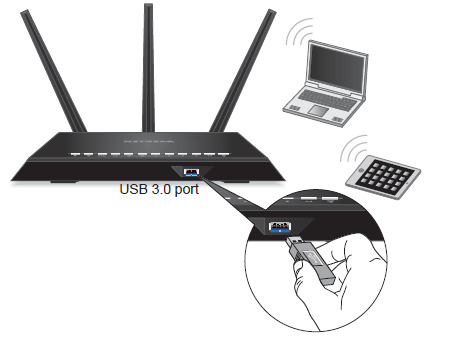
Note: Product Appearance varies by model.
To connect a USB drive:
1. Insert your USB storage drive into the blue USB 3.0 port on the front of the router.
2. If your USB drive has a power supply, you must use it when you connect the USB drive to the router.
When you connect the USB drive to the router USB port, it might take up to two minutes before it is ready for sharing. By default, the USB drive is available to all computers on your local area network (LAN).
Last Updated:07/07/2025
|
Article ID: 24060