

The ReadyNAS uses a host name to advertise itself on the network. When you review the network using ReadyCLOUD, a computer, or any other interface, you can recognize the ReadyNAS by its host name.
The default host name is nas-xx-xx-xx, where xx-xx-xx is the last 6 bytes of the system's primary MAC address. You can change the host name to one that is easier to remember and recognize.
To change the host name:
1. Select System > Overview > Device.
2. Click the gear icon ( ) to the right of the Name field.
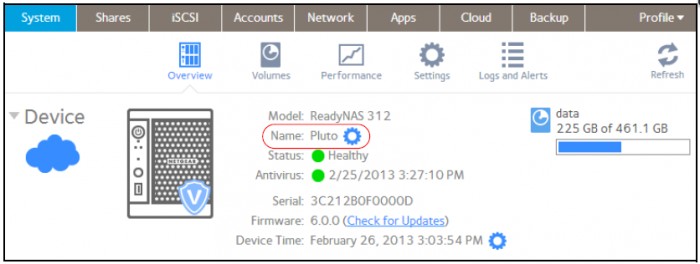
A pop-up screen displays.
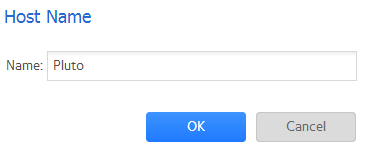
3. In the Name field, enter a new host name.
Note:
- The host name can have a maximum of 14 characters in most non-Asian languages. If you use Asian language characters, the limit is lower.
- The host name cannot contain spaces or special characters such as ! " £ $ % ^ & * ( ) @ # per the SMB standard.
4. Click the OK button.
Your changes are saved.
Last Updated:07/07/2025
|
Article ID: 22807