

In UTM firmware version 3.0.1-124 and above, Application Control & IPS has been enhanced.
After upgrading to 3.0.1-124 or above, it is required to re-register the UTM to avail of the enhanced Application Control & IPS settings.
To do this, follow the steps below.
1. Go to Support -> Registration. Press the 'Register' button of the bottom of the page as shown below:

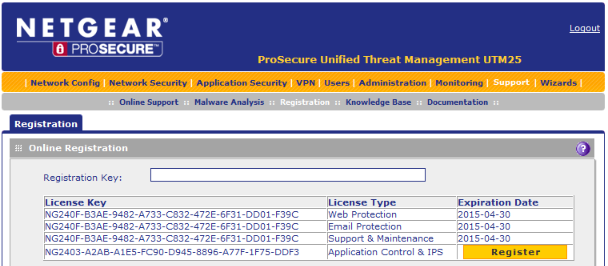
2. When this register operation has completed, you should see (as shown below) that there is a new field for Application Control & IPS with a 'Register' button beside it:
Note: If several hours have passed from the time of the firmware upgrade, then it may not be necessary to perform step 1 above as the UTM may already have contacted the registration servers and brought you to step 2.
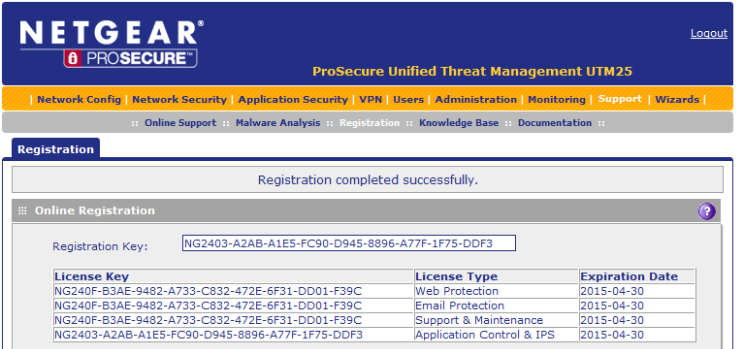
3. Click the Register button and wait a few moments. Once successful, the screen should update and look similar to the below:
Your UTM is now ready to use the Application Control & IPS features.